5 Steps to Build Vehicle OCR Pipelines

5 Steps to Build Vehicle OCR Pipelines
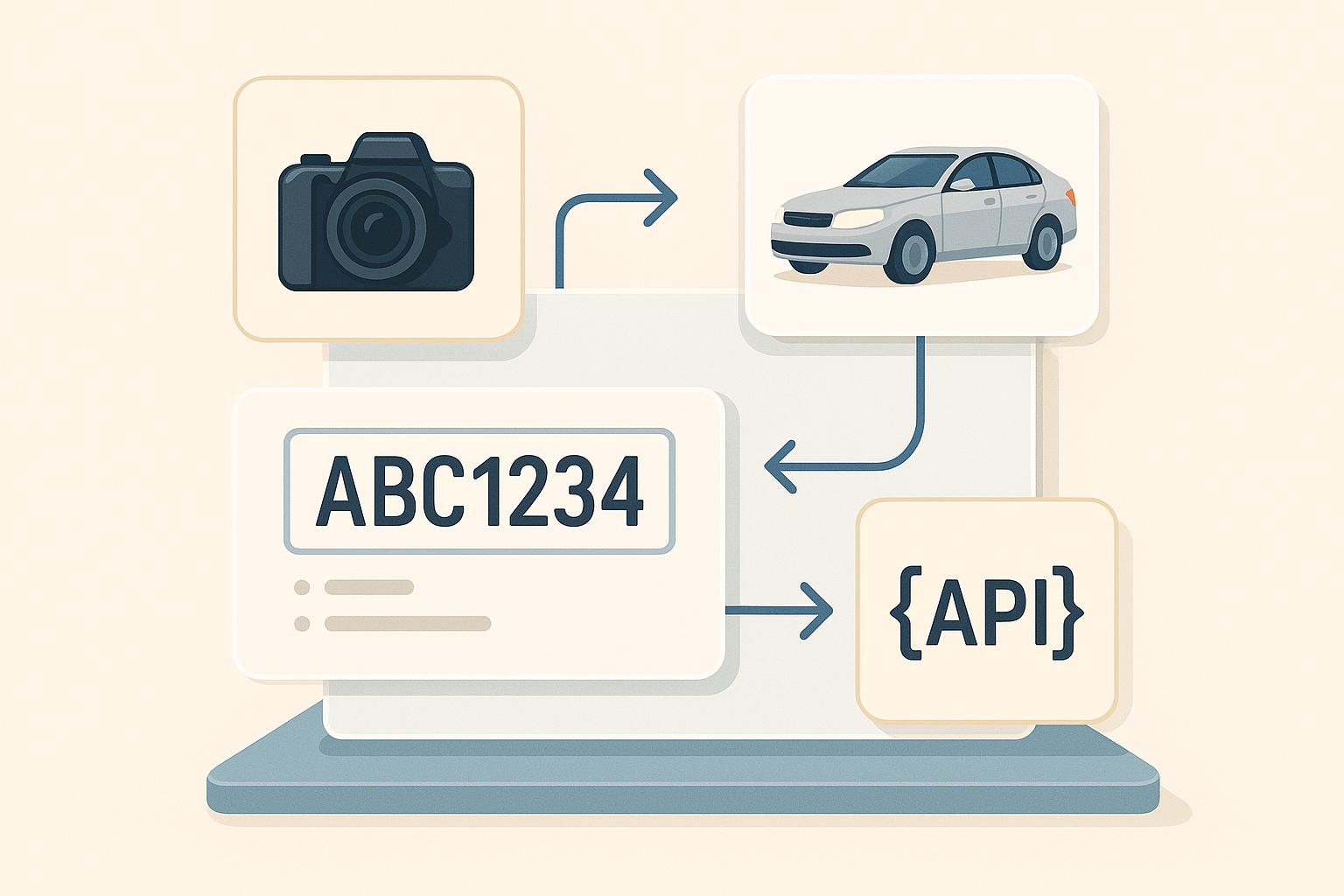
Vehicle OCR pipelines are reshaping how businesses extract data like license plate numbers and VINs from images, streamlining processes in industries such as insurance, parking, and car dealerships. These systems rely on five key steps:
- Image Capture and Preprocessing: Use high-resolution cameras under ideal lighting. Preprocess images by converting to grayscale, adjusting contrast, and isolating text for better OCR accuracy.
- License Plate Detection: Employ object detection models like YOLO for fast, precise plate identification or zero-shot models like OWLv2 for flexibility.
- OCR Text Recognition: Extract text using tools like Tesseract, PaddleOCR, or OpenALPR, refining outputs with preprocessing, regex validation, and correction dictionaries.
- Vehicle Data API Integration: Connect OCR results to APIs like CarsXE to retrieve vehicle specifications, market values, and recall data.
- Deploy and Monitor: Use cloud or edge deployments for scalability, monitor metrics like accuracy and latency, and retrain models with updated data.
This pipeline reduces errors, accelerates data processing, and integrates seamlessly with vehicle data systems, making it ideal for applications like toll collection, parking management, and traffic monitoring.
License Plate Detection & Recognition with YOLOv10 and PaddleOCR | Save Data to SQL Database
Step 1: Capture and Prepare Images
Clear, high-quality images are the backbone of accurate OCR. Without them, even the most advanced OCR systems can falter. This step focuses on two key areas: capturing images under the right conditions and refining them through preprocessing to make text more readable.
Data Capture
Getting the initial image right is crucial. Use cameras with resolutions above 640×480 pixels to ensure clear character visibility while balancing image quality with processing time.
Lighting plays a big role here. Natural daylight is ideal, but in low-light conditions, consider using infrared or night vision cameras paired with weather-resistant setups for outdoor use.
Camera positioning is another factor that can make or break the quality of your images. Aim to position cameras so license plates appear as close to perpendicular as possible to avoid distortion. Be mindful of glare, shadows, and reflections on the plates, as these can introduce visual noise and interfere with OCR accuracy.
The type of camera setup you choose - whether static or mobile - should align with your specific application needs.
File format selection also affects performance. JPEG files are smaller and process faster, while PNG files preserve more detail with lossless compression. Choose the format that best meets your balance between detail and processing efficiency.
Once you’ve captured images under optimal conditions, the next step is to refine them through preprocessing.
Image Preprocessing
Preprocessing is all about making the text in your images as clear as possible. Studies suggest that proper preprocessing can improve OCR accuracy by up to 20% compared to using raw images.
Start by converting the image to grayscale. This removes color distractions and simplifies the image, allowing OCR systems to focus on the shapes of the characters. Next, adjust the contrast to make the characters stand out more prominently against the background.
Thresholding is another key step. This converts the grayscale image into a binary format (pure black and white), isolating the characters. Adaptive thresholding works particularly well because it adjusts to local variations in the image.
Cropping the license plate area is equally important. Using object detection models to locate and extract the license plate from the full vehicle image eliminates unnecessary background noise, directing the OCR focus solely on the relevant text.
Finally, resizing the image - such as standardizing it to a width of 600 pixels - creates a consistent input for your OCR models. This can enhance both processing speed and recognition accuracy.
Here’s a quick overview of common preprocessing steps:
Preprocessing Step Purpose Common Tools Grayscale Conversion Simplifies the image and highlights text OpenCV, PIL Contrast Adjustment Enhances text visibility OpenCV, PIL Thresholding Isolates text from the background OpenCV Cropping Focuses on the license plate area OpenCV, PIL, imutils Resizing Standardizes input dimensions OpenCV, imutils
Testing your preprocessing workflow with a diverse dataset is a must. Use images from various regions, including different license plate designs, lighting setups, and weather conditions, to ensure your system performs reliably in real-world U.S. scenarios.
Step 2: Detect License Plates
Once your images are cleaned and preprocessed, the next step is pinpointing the license plate within the vehicle image. This step is critical - it determines the section of the image that the OCR engine will analyze for text. If the detection is off, you risk missing plates entirely or wasting resources on irrelevant areas.
Modern object detection models make this process fast and accurate. The key is selecting a model that fits your needs and setting it up correctly.
Object Detection Models
YOLO models are a top choice for real-time license plate detection. They strike a balance between speed and accuracy, making them ideal for situations where you need to process multiple images per second. YOLO’s "You Only Look Once" approach allows it to detect and locate license plates in a single pass through the network, which is perfect for production environments.
For applications requiring flexibility, zero-shot models like Google’s OWLv2 offer a unique advantage. These models don’t need retraining to detect new formats. For instance, the "google/owlv2-base-patch16-ensemble" model can identify license plates without requiring pre-defined training classes. Simply initialize the detector using the transformers library, set the task to "zero-shot-object-detection", and provide the label "license plate" for detection.
When the model detects a license plate, it outputs bounding box coordinates (xmin, ymin, xmax, ymax), the detected object label, and a confidence score. These coordinates define the area containing the license plate, which you’ll use in the next step for cropping.
If you’re working in a simpler or resource-limited environment, traditional OpenCV techniques like contour detection and edge detection can be a lightweight alternative. While effective in controlled conditions, these methods often struggle with complex backgrounds or inconsistent lighting.
Model Type Best Use Case Key Advantage Limitation YOLO Production environments Fast and accurate real-time processing Requires labeled training data Zero-shot (OWLv2) Flexible applications No retraining needed for new formats May be less accurate on specific datasets Traditional OpenCV Simple, controlled environments Low resource requirements Struggles in complex or varied scenes
Model Configuration
Proper configuration is the difference between a reliable system and one riddled with errors. A critical parameter to adjust is the confidence threshold, which filters predictions based on their confidence scores.
Each detection includes a confidence score. By tweaking the threshold (typically between 0.5 and 0.8), you can reduce false positives without missing valid plates. Higher thresholds (e.g., 0.7–0.9) cut down on false positives but may miss some plates. Lower thresholds (e.g., 0.3–0.6) capture more plates but increase false detections. The best threshold depends on testing your model with real-world data from your deployment environment.
You’ll also need to focus on bounding box parameters. These include the four coordinates - xmin (left edge), ymin (top edge), xmax (right edge), and ymax (bottom edge) - that define the license plate’s rectangular area. Use your preferred library to crop the image based on these coordinates.
For plates that appear at an angle, OpenCV’s cv2.minAreaRect and cv2.boxPoints can help you calculate an accurate bounding box.
Hardware considerations are equally important. For real-time applications, GPU acceleration can make a significant difference. If you’re using a GPU, set the device parameter to "cuda" for faster processing.
In the U.S., where license plates follow a standard rectangular format, it’s essential to test your model against a variety of scenarios. This includes different vehicle types, mounting positions, and regional plate designs to ensure your system performs reliably across all conditions.
During development, visualization can help fine-tune your setup. Use tools like PIL’s ImageDraw module to overlay bounding boxes and confidence scores on detected plates. This visual feedback is invaluable for adjusting thresholds and identifying configuration issues before deployment.
Once you’ve refined the detection process, use the bounding boxes to crop the license plate regions, setting the stage for OCR-based text recognition in the next step.
Step 3: Process OCR Text Recognition
Now that you've cropped the license plate images, the next step is to extract text from them. This is where Optical Character Recognition (OCR) comes into play. OCR takes visual characters from images and converts them into text that your system can process. The accuracy of this step is crucial - it directly affects everything downstream, from validating data to integrating with APIs.
Choose an OCR Engine
Picking the right OCR engine depends on your project’s requirements. Here are some popular options, each with distinct strengths:
- Tesseract: A go-to choice for developers who value flexibility and cost efficiency. This open-source tool supports multiple languages and allows for extensive customization. With proper preprocessing and tuning, Tesseract can achieve 85–95% accuracy on U.S. license plates. However, performance can dip with poor image quality or unusual fonts.
- PaddleOCR: Known for its excellent out-of-the-box performance, this engine offers high accuracy and speed. It also supports angle classification and multiple languages, often exceeding 95% accuracy on clean license plate images.
- keras-ocr: Ideal for Python-based workflows, this tool combines detection and recognition into a single, easy-to-integrate package. While it may not be as mature as PaddleOCR, it’s great for quick prototyping.
- OpenALPR: A commercial solution tailored for enterprise-scale systems. It provides robust, cloud-powered recognition with minimal setup and has achieved over 90% accuracy in controlled environments.
OCR Engine Best Use Case Key Advantage Typical Accuracy Tesseract Budget-conscious, flexible setups Open-source, highly customizable 85–95% (U.S. plates) PaddleOCR Production systems needing speed High accuracy, fast processing 95%+ (clean images) keras-ocr Python prototyping End-to-end pipeline, easy integration Varies by implementation OpenALPR Enterprise applications Commercial support, cloud-powered 90%+ (controlled environments)
To integrate an OCR engine, start by preprocessing the cropped license plate images. This often involves converting the images to grayscale and enhancing contrast. For instance, with Tesseract, you can use the pytesseract.image_to_string(cropped_image) function to extract text. Similarly, PaddleOCR’s pipeline API can provide structured text outputs. Once you have the OCR results, the next step is refining their accuracy.
Improve Output Accuracy
OCR outputs are rarely perfect on the first attempt. Refining the raw results is key to building a reliable system and avoiding errors that could affect subsequent processes.
Preprocessing is your first line of defense. Advanced techniques like adaptive thresholding and grayscale conversion can significantly improve character visibility, especially for tools like Tesseract.
Format validation can catch errors early. U.S. license plates typically follow specific patterns, combining letters and numbers in predictable arrangements. Using regex patterns tailored to your target states can help filter out results that don’t match these formats.
Character correction is another useful strategy. OCR engines often confuse similar-looking characters, such as mistaking "0" for "O" or "1" for "I." A correction dictionary can map these common errors to their most likely alternatives, improving the final output.
For an additional layer of reliability, validate your OCR results using an API. Tools like CarsXE’s Plate Decoder API cross-reference recognized text with a global database of valid license plates. This ensures the results align with actual registered vehicles, catching errors that might escape other checks.
Confidence scoring can also help. Most modern OCR engines provide confidence scores alongside their text output. By setting thresholds, you can automatically process high-confidence results while flagging low-confidence ones for further review.
Finally, for real-time systems, it’s smart to have fallback strategies. If the primary OCR engine produces low-confidence results or fails, you can retry with adjusted preprocessing parameters or switch to an alternative OCR engine. This redundancy enhances overall reliability without requiring manual intervention.
sbb-itb-9525efd
Step 4: Connect with Vehicle Data APIs
Once OCR extracts license plate numbers or VINs, the next step is connecting them to a vehicle data API. This allows you to instantly retrieve detailed information such as specifications, market values, history reports, and safety data.
For example, instead of just identifying a license plate as "ABC1234", you can access the vehicle's make, model, year, current market value in USD, recall status, and ownership history - all in seconds.
Choosing the Right Vehicle Data API
The quality of the vehicle data API you choose directly impacts the accuracy and depth of the information your system can deliver. Look for an API that provides broad data coverage, reliable performance, and easy integration tools for developers.
One standout option for US-based applications is CarsXE, which offers real-time vehicle data from over 50 countries. It has specific endpoints tailored for OCR outputs: the Plate Decoder for license plates and the VIN Decoder for vehicle identification numbers.
CarsXE’s RESTful API architecture makes it simple to integrate with OCR pipelines. Developers receive structured JSON responses that include everything from basic specs to detailed market insights. The platform also features tools like usage monitoring, API key management, and thorough documentation to help keep production systems running smoothly.
"The API is super easy to work with...it's a damn good API. And trust me, I deal with a lot of third parties and you're the creme de la creme. It's great. Documentation is sound, the result sets are sound. I have nothing to say but, man, it's too easy to work with." - Senior Director of Engineering, Major Parking App
For those needing recall data, CarsXE offers a dedicated endpoint that flags critical safety information based on OCR-extracted VINs. This feature is especially beneficial for automotive service centers and fleet management systems.
When considering pricing, CarsXE uses a transparent model: a subscription with monthly quota + per-product overage rates (see https://api.carsxe.com/pricing). They also offer a free Sandbox tier (up to 100 free API calls), giving you a chance to test the integration before committing to full-scale use.
By integrating this API with the refined OCR outputs discussed earlier, you can create a seamless flow of data from image recognition to actionable insights.
Integrating the API
To connect your OCR output to a vehicle data API, you’ll need to handle data formatting, authentication, and error management carefully to ensure smooth operation.
Start by securing your API key. Store it in environment variables rather than hardcoding it into your application for security.
Data formatting is key to compatibility. License plates should be formatted as uppercase alphanumeric strings, while VINs must be exactly 17 characters long. Validating your input data beforehand helps reduce unnecessary API calls and improves accuracy.
Here’s a Python example to demonstrate how to connect OCR output to CarsXE’s API:
import requests
def get_vehicle_data(plate_number, state="CA"):
api_key = "YOUR_API_KEY"
url = f"https://api.carsxe.com/license-plate/decode?plate={plate_number}&state={state}&key={api_key}"
try:
response = requests.get(url)
response.raise_for_status()
vehicle_data = response.json()
return vehicle_data
except requests.exceptions.RequestException as e:
print(f"API request failed: {e}")
return None
# Example usage with OCR output
ocr_plate = "ABC1234"
vehicle_info = get_vehicle_data(ocr_plate, "CA")
Error handling is critical for production systems. API calls can fail due to network issues, rate limits, or invalid input data. Implement fallback mechanisms to handle these scenarios, such as retries or alternative workflows when the API is temporarily unavailable.
When processing the API’s JSON response, structure your code to handle optional fields gracefully, as some vehicles may not have complete data available. For real-time systems, consider implementing caching, request throttling, and retry logic with exponential backoff to optimize performance.
Monitoring and logging are also essential. Track metrics like API response times, error rates, and data quality to ensure your pipeline performs reliably. While CarsXE provides a dashboard for usage analytics, adding your own monitoring tools can give you more detailed insights tailored to your specific needs.
With the API integration in place, you’re ready to deploy and monitor your pipeline in real time.
Step 5: Deploy and Monitor
With your OCR pipeline connected to vehicle data APIs, it’s time to move it into production. This step involves setting up a deployment architecture and keeping a close eye on performance to ensure the system runs smoothly and reliably, even at scale.
Model Deployment
The environment you choose for deployment plays a big role in how well your pipeline handles real-world traffic. Many vehicle OCR applications lean toward cloud-based deployment because it offers scalability and built-in reliability. Platforms like AWS, Azure, or Google Cloud, especially when using GPU-accelerated instances, can achieve inference times of under 100ms. This speed is critical for time-sensitive applications like automated toll collection or parking management, where delays can cause disruptions.
Containerization tools like Docker and Kubernetes are key here. They let you bundle everything - your OCR model, dependencies, and configurations - into portable containers. This makes it easy to deploy and scale your system across multiple servers. Adding features like load balancing and auto-scaling ensures your system can handle spikes in traffic without breaking a sweat. For example, during peak hours like morning and evening commutes, your system can automatically spin up more containers if CPU usage exceeds 70%, then scale back down during quieter periods to save costs.
To keep things running smoothly, implement health checks to detect and restart failed containers and reroute traffic away from problematic instances. Additionally, secure your deployment by storing sensitive information like API keys in environment variables and using US-based data centers to comply with local data protection regulations.
For scenarios where internet connectivity is unreliable - such as toll booths or parking gates - edge deployment is a solid option. This approach minimizes latency and can even work offline, ensuring consistent performance in less-than-ideal network conditions.
Performance Monitoring
Once deployed, monitoring becomes an ongoing effort to keep everything optimized. Key metrics like OCR accuracy, processing latency, and throughput need regular attention.
OCR accuracy is the top priority. Monitor both character-level accuracy and full plate recognition rates. For example, even if your system correctly identifies 95% of individual characters, it might still misread 30% of license plates if certain conditions - like poor lighting - cause repeated errors. Set up alerts for when accuracy dips below your acceptable threshold, typically 90% in controlled environments like parking garages.
Processing latency is another critical metric. Track the total time it takes from image capture to API response. For instance, a US parking system achieved an average response time of 80ms while processing over 50,000 license plate images daily. This not only improved efficiency but also cut manual review workloads by 30%.
Throughput metrics - like images processed per second or API calls per minute - help you gauge system capacity and prepare for growth. Monitoring these can reveal bottlenecks before they affect users, guiding decisions on scaling or optimization.
Tools like Prometheus and Grafana provide real-time dashboards, while cloud-native options like AWS CloudWatch offer integrated monitoring. Set up automated alerts for critical issues like accuracy drops, rising error rates, or API failures.
Resource utilization is another area to watch. Keep tabs on CPU, memory, and GPU usage. Spikes in memory usage could indicate leaks, while consistently high CPU usage might signal the need for more capacity or better optimization.
Don’t forget to monitor your CarsXE API integration separately. Track its response times, error rates, and rate limit usage. Since API failures can disrupt the entire system, include fallback mechanisms and retry logic with exponential backoff to handle issues gracefully.
A/B testing is a smart way to roll out updates without risking system stability. Test new model versions on a small portion of traffic, comparing their accuracy and speed against the current system. This lets you catch problems early before they impact all users.
Finally, schedule regular model retraining to keep up with changes in the real world. License plate designs, camera hardware, and environmental conditions can shift over time. Monthly performance reviews and retraining with fresh data ensure your system stays accurate.
Log everything, but focus on what’s actionable. For instance, save failed recognition attempts along with their original images. These edge cases often highlight recurring issues that can be addressed through targeted retraining.
In short, the data you gather today fuels tomorrow’s improvements, transforming your vehicle OCR pipeline into a system that continually adapts and performs better over time.
Conclusion
A well-structured five-step OCR pipeline transforms vehicle image processing into an efficient system for extracting actionable data. From image capture and preprocessing to license plate detection, OCR text recognition, API integration, and deployment, this approach creates a solution ready to tackle real-world transportation challenges.
Using CNN-based models like YOLOv3/v4 alongside OCR tools such as PaddleOCR ensures reliable license plate detection across various environments. With real-time processing powered by GPU acceleration and optimized architectures, these pipelines can handle high traffic volumes that would otherwise overwhelm manual methods. By automating the entire process, this system eliminates manual data entry, minimizes errors, and speeds up the journey from image capture to actionable insights.
Adding APIs like CarsXE enhances the pipeline by validating and enriching the data. As one Senior Director of Engineering at a leading parking app shared:
"The API is super easy to work with...it's a damn good API. And trust me, I deal with a lot of third parties and you're the creme de la creme. It's great. Documentation is sound, the result sets are sound. I have nothing to say but, man, it's too easy to work with."
This integration bridges OCR outputs with detailed vehicle data, including specifications, market values, history reports, and recall information, elevating plate recognition to a comprehensive vehicle intelligence system.
Technically, this pipeline delivers clear advantages. It reduces delays, supports continuous operation, and scales effectively for applications like toll collection, parking management, and traffic monitoring. Advances in training with diverse datasets ensure accuracy across various plate formats and regions. Whether you're focused on managing parking systems, streamlining toll operations, or monitoring traffic, these five steps provide a reliable framework for building OCR solutions that perform consistently in real-world conditions. Together, these features make the pipeline an essential tool for modern transportation systems.
FAQs
What factors should you consider when deciding between cloud-based and edge deployment for a vehicle OCR pipeline?
When choosing between cloud-based and edge deployment for a vehicle OCR pipeline, several important factors come into play:
- Latency and Speed: If fast, real-time processing is a priority, edge deployment might be the way to go. Since data is handled locally, it avoids the delays that can happen when transmitting information to the cloud. Cloud-based solutions, on the other hand, may experience some lag due to data transmission.
- Connectivity: Cloud solutions depend on a reliable internet connection, which isn’t always guaranteed in remote or less-connected areas. Edge deployment, however, works offline, making it a dependable option where connectivity is limited.
- Cost Considerations: Cloud-based systems often come with recurring costs for storage and processing. While edge deployment might require a bigger initial investment in hardware, it can cut down on operational costs over time.
- Scalability: Scaling with cloud solutions is generally simpler since they use external infrastructure. With edge deployment, scaling could mean investing in more hardware, which can be a more involved process.
The best choice depends on your specific needs. Think about factors like the importance of real-time data processing, the availability of a stable internet connection, and your budget to decide what works best for your OCR pipeline.
Why are preprocessing techniques like grayscale conversion and thresholding important for improving OCR accuracy in vehicle license plate recognition?
Preprocessing steps like grayscale conversion and thresholding are key to improving OCR performance when reading vehicle license plates. Grayscale conversion removes color from the image, leaving only intensity levels. This simplification helps OCR algorithms focus on identifying characters without being distracted by unnecessary visual details.
Thresholding takes it a step further by turning the image into a binary format, making the text stand out more clearly against the background. This process minimizes noise and ensures better separation between the characters and their surroundings.
These preprocessing techniques help OCR systems adapt to challenges like varying lighting conditions, diverse plate designs, and environmental factors, ultimately delivering more precise and dependable recognition.
What are the benefits of using vehicle data APIs like CarsXE in a vehicle OCR pipeline?
Integrating vehicle data APIs, such as CarsXE, into a vehicle OCR pipeline can take your system to the next level. By blending OCR technology with CarsXE's extensive data services, you gain access to real-time vehicle details like specifications, market value, history, recalls, license plate decoding, and VIN decoding.
This combination boosts both the accuracy and efficiency of your pipeline, making it easier to extract, verify, and enrich vehicle information without a hitch. CarsXE's comprehensive datasets and straightforward API integration simplify development and help enhance the overall functionality of your OCR solution.
Related Blog Posts
- How to Choose an OCR Engine for Vehicle Data
- Multi-Language OCR for Vehicle Data: How It Works
- Study: OCR Accuracy in Vehicle Data Processing
- How Image Preprocessing Improves License Plate Recognition