Top 7 AI Tools for Vehicle Image Tagging

Top 7 AI Tools for Vehicle Image Tagging
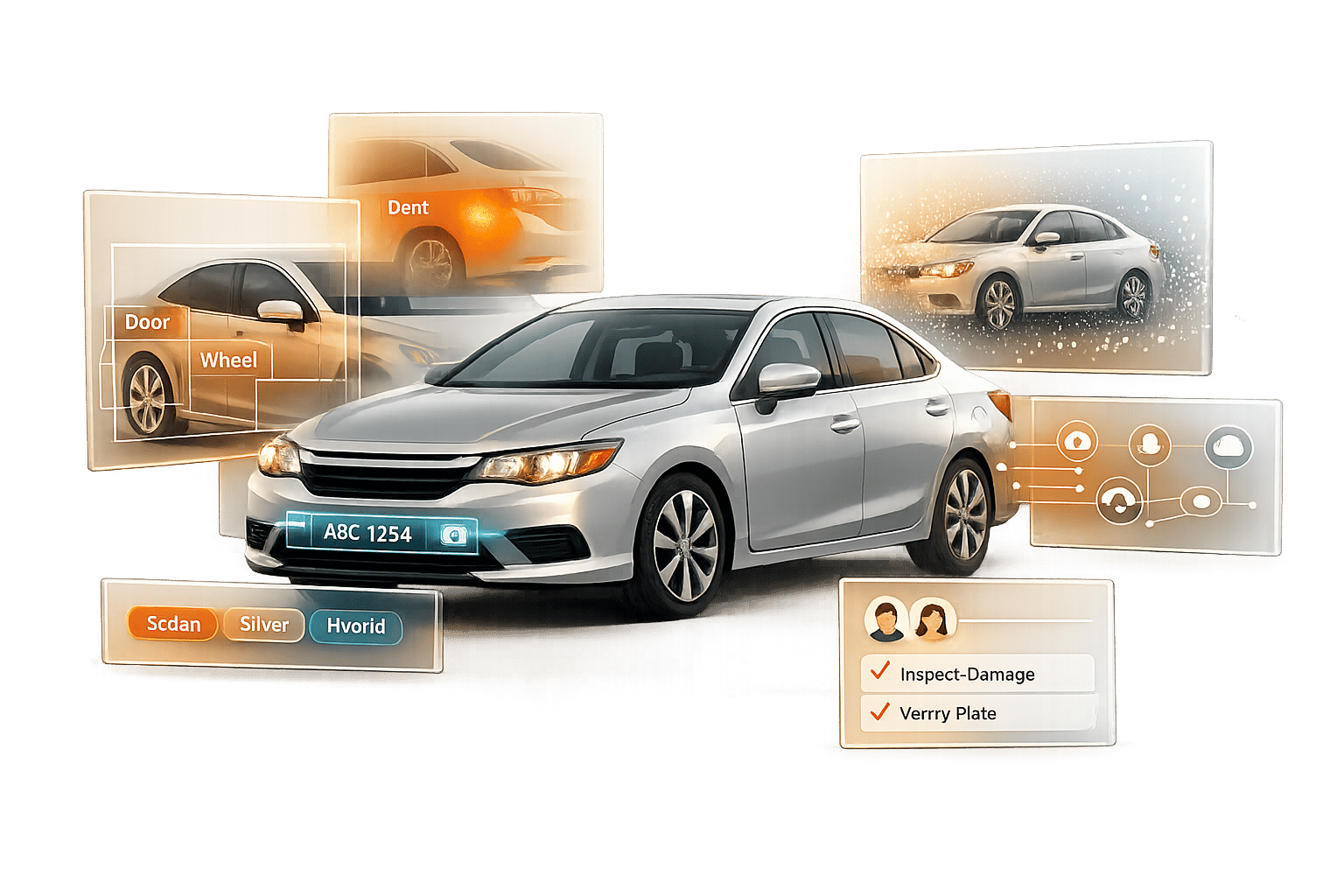
AI tools are transforming vehicle image tagging by automating processes like damage detection, vehicle identification, and feature recognition. These tools are faster, more accurate, and consistent compared to manual methods, helping businesses like dealerships, insurance providers, and fleet managers process thousands of images daily. They also integrate advanced features such as Optical Character Recognition (OCR) for VIN and license plate extraction and guided image capture for better quality.
Here are the top 7 AI tools for vehicle image tagging:
- Labellerr: Focuses on tagging accuracy with automated detection and segmentation for vehicle inspections.
- V7 Labs: Speeds up annotations with AI-assisted tools like SAM2 and supports multi-camera and video data.
- Encord: Adds 3D perspectives and multi-sensor fusion for autonomous vehicle projects.
- SuperAnnotate: Combines AI automation with human oversight for faster annotation cycles.
- CVAT: Open-source tool offering advanced annotation features for images, videos, and 3D data.
- Roboflow: Streamlines workflows with tools like Auto Label and supports large-scale data processing.
- Labelbox: Provides model-assisted labeling, handling diverse data types like LiDAR and geospatial data.
These tools cater to various automotive applications, including damage assessment, autonomous driving, and vehicle diagnostics. Each platform offers unique strengths, from advanced automation to collaborative workflows, ensuring high-quality outputs for businesses.
Quick Comparison
Tool Data Types Supported Key Features Automotive Applications Collaboration Features Security & Compliance Labellerr Images, Video Automated detection, segmentation Damage assessment, inspections Real-time collaboration Not specified V7 Labs Images, Video, 3D data AI-assisted annotation, multi-camera support License plate recognition, defects Multi-stage review workflows SOC 2, HIPAA, ISO 27001 Encord Images, Video, LiDAR, Radar 3D tagging, multi-sensor fusion Autonomous driving, ADAS Multi-user workspace SOC 2, GDPR, HIPAA SuperAnnotate Images, Video, Multimodal datasets AI-assisted labeling, Magic Select Fleet analysis, insurance claims Expert review cycles SOC 2 Type II, GDPR CVAT Images, Video, 3D data Open-source, pre-trained model support Lane marking, vehicle tracking Open-source contributions Self-hosted Roboflow Images, Video SAM2, Auto Label, Smart Polygon Damage detection, training models Team dashboards SOC 2 Type II, HIPAA Labelbox Images, Video, LiDAR, Audio Model-assisted labeling, hierarchical classes Damage assessment, mapping Consensus scoring, live monitoring Enterprise-grade security
Each tool offers specific features tailored to different needs, from open-source flexibility with CVAT to enterprise-grade solutions like Labelbox. Choose based on your project requirements, such as data types, automation needs, and collaboration tools.
Comparison of Top 7 AI Tools for Vehicle Image Tagging Features and Capabilities
Object Detection for Self Driving Cars | Image Annotation using V7 Labs Platform | Part 2
sbb-itb-9525efd
1. Labellerr
Labellerr streamlines the process of tagging vehicle images by applying well-established methods from the automotive industry. It uses recognized techniques for annotating vehicle images, ensuring accuracy and consistency.
Through automated detection and segmentation of vehicle parts, Labellerr speeds up processes like insurance evaluations and pre-sale vehicle inspections. This not only saves time but also simplifies workflows for businesses.
Labellerr is continuously evolving, so keep an eye out for updates that expand its capabilities.
Next up, V7 Labs brings more advancements to improve vehicle image annotation even further.
2. V7 Labs
V7 Labs takes vehicle tagging to the next level by integrating advanced AI tools and automation, building on the groundwork laid by Labellerr.
AI-Assisted Tagging Capabilities
Using the Segment Anything Model (SAM2), V7 Labs makes annotations faster and more precise. A simple rough bounding box transforms into an exact polygon, thanks to a click-to-correct tool that fine-tunes the results. The platform also features an auto-track function that can follow vehicles across video frames, using interpolation to fill in the gaps. This approach speeds up the annotation process by up to 10x compared to manual methods.
Support for Different Data Modalities
V7 Darwin is designed to handle a wide range of data formats, including high-resolution images, videos at their original frame rates, and even 3D volumetric data. This makes it particularly effective for multi-camera automotive projects. Its Model-in-the-Loop feature pre-labels datasets and flags quality issues before human review, ensuring smoother workflows. In one case, an automotive AI company scaled its image processing from 35,000 to 200,000 images per week while maintaining over 99.9% accuracy using V7's AutoML tools.
Automotive Use Cases
The platform supports various automotive applications, such as vehicle identification and license plate recognition across multiple formats. For example, V7 was used in a project to automate parking detection and global license plate recognition.
"Labeling data is never straightforward... Digital Divide Data holds itself to this higher standard and that has raised the standard of our data and the quality of our products using V7 Darwin for annotation."
– ML Team Lead, Automotive AI Company
For damage assessment tasks, V7 offers tools like keypoint labeling, polylines for lane markings, and brushes for detailed segmentation. Its quality assurance engine monitors over 15 metrics in real time, ensuring high standards throughout the process.
Collaboration and Quality Assurance Features
V7 supports multi-stage review workflows, assigning specific roles to annotators and reviewers to streamline collaboration. The Consensus stage ensures that labelers agree on outputs, while transparent metrics make project management easier - even for team members without technical expertise.
"Visibility on metrics in V7 is very helpful to us, and it's something we didn't have in our internal solution."
– Andrew Achkar, Technical Director, Miovision
The platform also boasts a 4.8/5 customer rating and meets strict security standards, including SOC 2 Type II, HIPAA compliance, and ISO 27001 certification.
With its combination of advanced automation, versatile tools, and strong collaboration features, V7 Labs sets a high bar for vehicle image tagging.
3. Encord
Encord takes a unique "Physical AI" approach, adding a 3D perspective to vehicle tagging. This method integrates 3D understanding into robotics and autonomous vehicle applications, offering a fresh angle on data annotation.
AI-Assisted Tagging Capabilities
Encord incorporates Meta's Segment Anything Model (SAM and SAM2) for one-click auto-segmentation. This feature delivers highly accurate masks and polygons up to 15 times faster. Users can fine-tune these masks with just a single click. For video sequences, Encord uses micro-models and object tracking, making video labeling six times faster.
The platform supports a variety of annotation types, including bounding boxes, rotatable boxes, polygons, keypoints, and 3D cuboids. It also offers automated track-ID management for teams working with 3D and LiDAR data, ensuring vehicles are consistently tracked across sequences. This precision and speed enable seamless multi-sensor data annotation.
Support for Different Data Modalities
Encord is built to handle diverse data formats, including 2D images, video, and 3D LiDAR point clouds. Its multi-sensor fusion capability allows synchronized annotation of data from LiDAR and cameras, such as RGB, radar, and thermal sensors.
"We needed a platform that enabled various different types of labeling because we have different types of machine learning challenges. Our goal is to diagnose the condition of an object, which requires several steps that include individual issue detection– e.g. damage to a scooter frame– and the condition of where something is placed, like where a scooter is parked." – Charlotte Bax, Founder, Captur
Automotive Use Cases
In 2025, Pickle Robot, a warehouse automation company, switched to Encord to tackle issues with low-quality labels and inefficient audit cycles. By leveraging Encord's nested ontologies and AI-assisted labeling with human-in-the-loop workflows, the company achieved:
- A 30% increase in annotation accuracy
- A 60% improvement in model iteration speed
- A 15% boost in robotic grasping precision
Woven by Toyota utilizes Encord's multimodal annotation tools to track objects over time and integrate data from various sensors, including 2D, 3D, LiDAR, and radar. These capabilities have accelerated the development of autonomous vehicle models. Additionally, the platform supports workflows for identifying damage, such as vehicle frame issues, and classifying component conditions. These functionalities lead to faster model updates and better vehicle diagnostics.
Collaboration and Quality Assurance Features
Encord incorporates multi-stage quality checks and IoU thresholds to maintain consistency in safety-critical datasets. Teams have reported productivity increases of up to 70%, and some large-scale AI teams have documented annual savings of $600,000 thanks to the platform's automation and data curation tools. These features enhance collaboration and ensure high-quality outputs, aligning with the industry's push for scalable and automated automotive solutions.
4. SuperAnnotate
SuperAnnotate speeds up AI infrastructure development by 5–10×. It blends AI automation with human oversight, making vehicle annotation tasks faster and more efficient.
Much like other tools in this space, SuperAnnotate uses advanced AI models for accurate vehicle feature annotation. However, it takes efficiency a step further with its AI-assisted features designed to streamline the process.
AI-Assisted Tagging Capabilities
SuperAnnotate offers several tools to simplify and accelerate annotation. The Magic Select feature, powered by the Segment Anything Model, delivers pixel-perfect segmentation for vehicles and their components. Magic Polygon automatically draws precise object boundaries, while One-Shot Annotation allows for processing multiple images in bulk.
"SuperAnnotate cut annotation cycle time by over 60%. Finding annotation teams was super easy, and because they are all trained on SuperAnnotate, they are able to deliver more accurate annotations much faster than before." – Ovadya Menadeva, Head of AI & Vision, Percepto
The platform also supports 3D cuboids for labeling depth, width, and length of vehicles, as well as polylines for lane detection tasks. Video object tracking and pose estimation are included to handle more complex vehicle orientations.
Support for Different Data Modalities
SuperAnnotate works with a variety of data formats, including standard images, video sequences, and tiled imagery like aerial or satellite data. Its semantic segmentation capabilities help classify road elements - such as cars, bikes, pedestrians, sidewalks, and traffic lights - into distinct categories.
Automotive Use Cases
SuperAnnotate is particularly well-suited for autonomous driving projects, enabling detection of vehicles, street signs, and road obstacles. It also supports insurance workflows by making it easier to annotate damaged vehicles for claims processing. For example, OneCup AI reported a dramatic improvement in efficiency, completing the annotation of 1,000 images in one week with a single data scientist - a task that previously required four people working for two months. This represents nearly a 32× boost in productivity.
Collaboration and Quality Assurance Features
The platform includes tools to improve collaboration and quality control. Its built-in commenting system allows for direct feedback during quality reviews. Teams can create multi-layer annotation workflows with expert review cycles, while automated processes help guide annotators and adjust classes to reduce errors. Real-time project tracking and performance monitoring ensure consistent, high-quality results.
Rated 4.9 stars on G2 and ranked as the #1 Data Labeling Software, SuperAnnotate is trusted by 20% of Fortune 50 companies. With enterprise-grade security features like SOC 2 Type II, ISO/IEC 27001:2022, and GDPR compliance, it’s a dependable choice for businesses requiring secure and efficient annotation solutions.
5. CVAT (Computer Vision Annotation Tool)
CVAT, originally developed by Intel in 2017, has become a go-to tool for labeling data in autonomous driving and robotics. With over 1,000,000 downloads of its Docker images and a user base exceeding 1,000,000 AI practitioners, it stands out as a key platform for automotive image annotation .
AI-Assisted Tagging Capabilities
CVAT combines semi-automatic techniques like SAM and RITM with fully automated models such as YOLO, Detectron2, and EfficientDet. These tools generate precise masks, polygons, and bounding boxes, speeding up the annotation process by up to 10× . For video data, AI trackers like TransT, SiamMask, and DeepSORT follow objects across frames, providing similar time-saving benefits. Additionally, users can integrate custom models through the Nuclio framework to tackle more specialized tasks .
"CVAT supports the widest variety of computer vision annotation tasks of any tool we have used or evaluated in the years I have worked in computer vision - classification, tracking, object detection, pose, attributes, and more!" – Chris Hall, Computer Vision Engineer, Vivint Smart Home
Support for Different Data Modalities
CVAT accommodates standard image formats like JPEG and PNG. For video, it supports all ffmpeg-compatible formats, such as MP4, AVI, and MOV, and offers a "Track" mode that links objects across multiple frames . When it comes to 3D data, CVAT handles .pcd and .bin point cloud formats and features 3D Cuboid tools to capture object volume and position - critical for autonomous driving. It also supports 19+ annotation formats, including industry standards like KITTI, Cityscapes, YOLO, and MS COCO .
Automotive Use Cases
CVAT's features are perfectly suited for the automotive industry. It is widely used in developing autonomous vehicles for tasks such as pedestrian and vehicle tracking, driver action recognition, and lane marking identification . Its annotation tools are tailored to specific needs:
- Cuboids: Capture the 3D volume of vehicles.
- Polylines: Define lane markings and road boundaries.
- Polygons: Detail intricate vehicle components.
The platform can also identify temporary hazards like construction cones and monitor road boundaries for obstacle avoidance systems. Additionally, its keypoint and skeleton labeling tools, powered by models like CenterNet, help track specific vehicle parts or monitor driver behaviors .
Collaboration and Quality Assurance Features
CVAT includes a "Review mode" for validating annotations and offers role-based access control (RBAC) to manage team permissions . It tracks annotator productivity metrics, like objects labeled per hour, and supports a human-in-the-loop (HITL) workflow. In this setup, AI performs the bulk of the labeling while human annotators handle more complex cases, such as objects in poor lighting or heavily occluded vehicles.
Pricing options include a free Community edition, Solo plans at $33/month (or $23/month with annual billing), Team plans starting at $66/month for at least two users, and Enterprise plans starting at $12,000/year, which include advanced security features.
6. Roboflow
Roboflow is trusted by over 1,000,000 developers, including more than half of the Fortune 100 companies. The platform hosts an impressive 750,000+ datasets and 575 million labeled images, making it a go-to resource for AI-driven image annotation workflows. It combines advanced AI models with intuitive annotation tools to speed up vehicle image tagging processes.
AI-Assisted Tagging Capabilities
Roboflow offers tools designed to make annotation faster and more accurate. The Smart Polygon feature, powered by Meta AI's Segment Anything 2 (SAM 2) and SAM 3 models, allows users to generate precise polygon annotations with just one click. This is particularly useful for pinpointing vehicle damage or identifying detailed components.
Another standout tool, Auto Label, uses Grounding DINO to automatically tag thousands of images in minutes, cutting labeling time by over 50%. Meanwhile, Label Assist employs custom-trained models to reduce human labeling time by as much as 95%. To date, more than 2,000,000 images have been labeled automatically using these features.
Support for Different Data Modalities
Roboflow supports a wide range of data formats, including JPG, PNG, and BMP for images, as well as MOV, MP4, and AVI for videos. For video data, users can extract frames at specific intervals to create training datasets. The platform also offers tools to generate up to 50 augmented images per frame using transformations like blur, rotation, and shear, helping improve model performance and adaptability.
Automotive Use Cases
Roboflow is tailored to meet the unique needs of the automotive industry. It supports vehicle detection and counting for traffic management and parking systems, as well as damage identification using instance segmentation to outline dents and scratches for insurance claims. Its automated damage detection tools can reduce assessment errors by 60% and speed up inspections - cutting the time needed from 45 minutes to just 2 minutes, while enabling five times more vehicles to be processed daily.
The platform also aids in manufacturing by identifying defects in vehicle components, such as paint flaws, weld inconsistencies, or part misalignments. Additionally, Roboflow supports autonomous driving tasks like pedestrian detection, traffic sign recognition, and identifying lane markings.
Collaboration and Quality Assurance Features
Roboflow is built with collaboration and quality assurance in mind. It includes role-based access controls for Admins, Labelers, and Reviewers, as well as features like annotation history and version reversion to track team changes. Dataset Health Check tools and analytics help identify edge cases, anomalies, and areas where models may underperform before training begins. Team comments and managed labeling services further streamline feedback on large-scale projects.
"Roboflow has been instrumental in accelerating our learning and deployment of innovative AI solutions." – Travis Turnbull, Vice President & CIO, Pella Corporation
Models created on Roboflow can be deployed seamlessly to edge devices like NVIDIA Jetson or Luxonis OAK, or accessed via hosted cloud APIs. The platform also ensures enterprise-grade security, including SOC2 Type 2 and HIPAA compliance, to meet strict organizational standards.
7. Labelbox
Labelbox acts as a powerful data engine designed for both task-specific and generative AI models, enabling faster iterations and producing high-quality ground truth data. By blending AI-driven automation with human oversight, it simplifies vehicle image tagging workflows, making the annotation process more efficient and precise.
AI-Assisted Tagging Capabilities
Labelbox's model-assisted labeling (MAL) feature enhances efficiency by importing pre-labels from existing models, achieving up to 80% efficiency gains. It also automates label application using dynamic filters that respond to content, metadata, or text embeddings.
For detailed vehicle annotation tasks, Labelbox offers a suite of vector tools such as bounding boxes, polygons, points, lines, and full segmentation. Teams can further refine their work using hierarchical classes and custom HTML widgets, ensuring greater precision.
Support for Different Data Modalities
Labelbox isn't limited to standard image data. It supports a variety of data types, including video, geospatial data (LiDAR), text, PDF documents, and audio. This ability to handle multiple data formats makes it an ideal choice for automotive projects that require integrating diverse sensor inputs and documentation alongside visual data.
Automotive Use Cases
The platform's versatile annotation tools and hierarchical classification system are tailored for automotive applications like vehicle detection, damage assessment, and environmental mapping. Annotators can add relevant context through attachments, improving their ability to identify and classify vehicle damage, components, or defects with greater accuracy.
Collaboration and Quality Assurance Features
Labelbox promotes teamwork with a unified workspace where researchers, data managers, and annotators can collaborate in real time. Its multi-step QA workflows combine expert reviews with automated quality checks, ensuring high standards. Features like consensus scoring and benchmarking allow teams to compare annotations across contributors for consistency.
The Auto QA feature uses foundation models to flag potential errors and provide feedback through AI-assisted reviews. Meanwhile, live project monitoring and real-time analytics keep the entire annotation process transparent. Dynamic review queues further enhance quality by automatically flagging specific data subsets for manual verification, ensuring nothing slips through the cracks.
Feature Comparison Table
The table below provides a quick overview of the standout features of each tool, summarizing their strengths in vehicle image tagging and related applications.
Tool Supported Data Formats AI-Assisted Tagging Automotive Applications Team Collaboration Compliance & Security Labellerr Images, Video, PDF, DICOM Smart feedback loop, Superpixel segmentation Vehicle detection, damage assessment Real-time collaboration workspace Not specified V7 Labs Images, Video Auto-annotation, Auto-segmentation Component identification, defect detection Team workflows, version control Not specified Encord Images, Video, LiDAR, Radar, Audio SAM2 integration, Workflow agents ADAS, autonomous driving, sensor fusion Multi-user workspace, review queues SOC 2, GDPR, HIPAA SuperAnnotate Images, Video, Multimodal datasets AI-assisted & automated labeling Domain-specific model training, fleet analysis Project management, expert review SOC 2 Type II, ISO 27001, GDPR, HIPAA CVAT Images, Video Pre-trained model support Vehicle classification, damage mapping Open-source community contributions Self-hosted/Open-source Roboflow Images, Video SAM2, Label Assist, Auto Label, Smart Polygon Computer vision training, vehicle recognition Team dashboards, project sharing SOC 2 Type 2, HIPAA Labelbox Images, Video, Text, LiDAR, Geospatial, Audio Model-assisted labeling (80% efficiency gain) Vehicle detection, damage assessment, environmental mapping Unified workspace, consensus scoring, live monitoring Enterprise-grade security
Each tool brings a unique set of capabilities to the table. For instance, Encord stands out for its ability to handle multimodal data, including LiDAR and radar, making it a strong choice for sensor fusion in autonomous vehicle projects. On the other hand, SuperAnnotate, with its high G2 rating of 4.9/5, is celebrated for its simplicity and extensive compliance options.
For those prioritizing control over their data and infrastructure, CVAT is the only open-source solution, allowing for self-hosting. Meanwhile, Roboflow integrates Meta AI's SAM2 for rapid polygon and segmentation tasks, streamlining workflows. Labelbox further optimizes efficiency with its model-assisted labeling, which boasts an 80% efficiency gain.
The compliance certifications highlighted in the table emphasize the importance of data security in automotive annotation. As DataVLab explains, "Automotive annotation typically operates under strict safety standards because errors in training data can contribute to perception failures with real-world safety consequences".
Conclusion
AI-driven vehicle image tagging tools have reshaped the way automotive businesses manage visual data. With processing speeds as fast as 120 milliseconds and the capability to identify over 3,100 car models, these tools bring both speed and accuracy to the table. They can even cut vehicle onboarding times by up to 70%, making them a game-changer for efficiency.
Choosing the right tool depends on your specific needs. For straightforward inventory management, prebuilt APIs are ready to go and easy to implement. On the other hand, custom-trained platforms are better suited for more complex tasks like damage assessment or advanced driver-assistance systems (ADAS).
Handling large volumes of data? Cloud-based systems automatically adjust computing power to maintain consistent performance, no matter the workload. These tools also drastically reduce the need for manual labeling, saving time and effort.
Integration is another critical factor to consider. Developer-friendly REST APIs and SDKs make it simple to incorporate these tools into your existing workflows. If your business operates in a regulated industry, ensure the platform complies with standards like GDPR, CCPA, or HIPAA, and offers robust security measures such as AES-256 encryption.
These platforms represent a major leap forward in vehicle image tagging technology. To find the best fit, test various tools using images taken in different lighting conditions, angles, and settings. This will help you identify the one that meets your needs - whether it’s basic categorization or more detailed insights like vehicle generation, production year, or specific part identification.
FAQs
What is the best tool for LiDAR and sensor-fusion vehicle tagging?
When it comes to handling the challenges of LiDAR and sensor-fusion data, Kognic's LiDAR & 3D Point Cloud Annotation Platform stands out. This platform is built to tackle the intricate and large-scale nature of sensor-fusion datasets while maintaining exceptional precision in annotations.
Do I need to train my own model, or can I use prebuilt auto-labeling?
Prebuilt auto-labeling tools can offer a convenient way to handle vehicle image tagging. They’re quick and easy to implement. However, if you’re looking for precise identification of vehicle makes and models - particularly for specialized needs - training your own model is often the better choice. This approach allows you to tailor the system to your specific requirements, ensuring accuracy where it matters most.
What security and compliance should I look for in vehicle image tagging?
When assessing vehicle image tagging systems, it's crucial to focus on security and compliance. Look for features like GDPR and CCPA readiness, complete PII masking, transparent data provenance, and privacy-focused handling practices. These safeguards not only reduce the risk of mistakes but also protect individuals' rights and ensure compliance with privacy laws.
Related Blog Posts
- How to Choose an OCR Engine for Vehicle Data
- Study: OCR Accuracy in Vehicle Data Processing
- AI Noise Reduction in License Plate OCR
- Challenges in Identifying Similar Vehicle Models