5 Key Manufacturing Details from Vehicle Data APIs

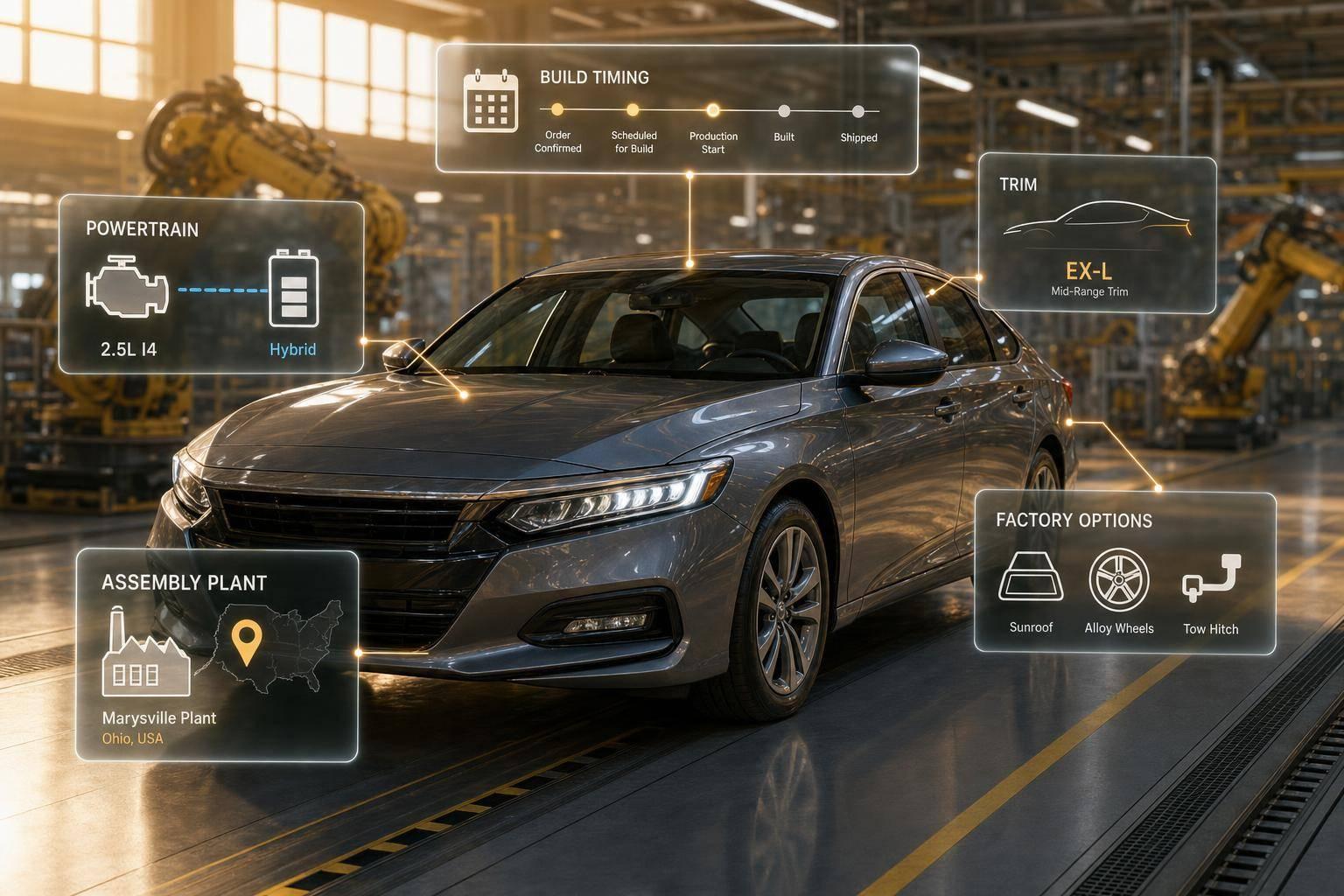
5 Key Manufacturing Details from Vehicle Data APIs
A VIN API does more than identify a car. It can help you check where it was built, when it was built, which trim it belongs to, what powertrain it has, and which factory equipment may apply.
If I had to boil this down, here’s the main point: year, make, and model are only the start. The data that often drives pricing, compliance, recall checks, and underwriting sits one layer deeper. And while a VIN can give part of that picture right away, some fields need extra lookup data and may lag 60 to 90 days on new model-year launches.
Here’s the short list of what matters most:
- Assembly plant data helps tie a vehicle to a factory and build location
- Model year is not the same as build timing
- Trim and sequence data help sort pricing and recall windows
- Engine, drivetrain, and emissions fields often mix VIN-decoded data with added spec data
- Factory equipment data may show trim-level availability, not always the exact installed content
Quick Comparison
Detail Usually from VIN Often needs added data Common use Factory location Yes, in part Yes, for plant name/city Parts, logistics, recalls Model year/build timing Model year only Yes, for build window Fitment, valuation, underwriting Trim/production mix Sometimes partial Yes Pricing, recall filtering Engine/drivetrain/emissions Basic specs Yes, for full specs Service, tax, compliance Factory options/equipment Rarely complete Yes Listings, claims, valuation
So if you want cleaner vehicle decisions, I’d treat VIN decode as the first step, then layer in spec and recall data to fill the gaps.
What's In The VIN? Vehicle Identification Number DECODER with DataOne
sbb-itb-9525efd
How Vehicle Data APIs Surface Manufacturing Information
A VIN’s WMI, VDS, and VIS reveal the main manufacturing fields that APIs decode. That setup ties straight to the five manufacturing details below.
But VIN decoding is just the first layer. APIs add more detail by checking VIN data against OEM and regulatory sources to fill in plant, model year, engine, emissions, and factory equipment data. That extra detail is strong, but timing still matters. New model-year data can lag 60 to 90 days after launch.
In day-to-day use, APIs surface these fields through a small set of common endpoint types. CarsXE exposes them through VIN decoding, international VIN decoding, and year/make/model/trim lookup endpoints.
Endpoint Primary Input Key Manufacturing Data VIN Decoder 17-character VIN Factory location, engine specs, production sequence International VIN Decoder International VIN Plant country, regional emission standard Year Make Model API Year, Make, Model, Trim Assembly country, standard/optional features
1. Factory Location and Assembly Plant
VIN position 11 points to the assembly plant, but that only helps after you decode the WMI. For example, a Tesla VIN may point to Fremont, California. [6]
Here’s the catch: position 11 codes are manufacturer-specific. So the same plant code can refer to different facilities depending on the brand. [7]
That’s why a plant code by itself doesn’t tell you much. You need enrichment to turn that code into something useful, like a facility name, city, and sometimes even a street address. CarsXE's VIN decoder can return fields such as made_in, made_in_city, and plant_company_name, which turn a short code into a clear plant name and location. [5]
If you want the most complete plant-level details, deep-data requests return more fields. [2][5] That said, data coverage varies by source. A basic decode may give you only the plant country. And if the VIN is malformed, the response should return a clear error like invalid_vin or no_data. [2]
Next comes production timing, which shows when that vehicle left the line.
2. Model Year and Production Date Range
After the assembly plant, the next detail to check is when the vehicle was built. A standard VIN decode usually gives you the model year as a four-digit value, like "2012". That helps, but it doesn't tell you the exact build timing.
And that gap matters more than it sounds. For parts fitment, recall screening, inventory valuation, and insurance underwriting, model year and build timing are not the same thing. Model year tells you the year assigned to the vehicle. Production data gets you closer to where that unit sits in the build run.
Enriched records can narrow a VIN to a build sequence or production window. A deep-data request can expose production sequence data, and VIN data gives the model year immediately, but production timing appears only after enrichment. [2]
Standard VIN decoding usually returns only model year; exact build timing requires enriched or OEM-level data, and coverage varies by vehicle.
Once timing is clear, the next step is production volume and trim mix.
3. Production Volume and Trim-Level Manufacturing Mix
Once you know when a vehicle was built, the next step is figuring out what version actually came off the line. That’s where sequence and trim data come in. This is the layer that turns build timing into something you can use for pricing, recall work, and inventory decisions. Put simply, it connects build timing to pricing.
APIs surface this data through production-sequence fields like sequential_number or production_seq_number, plus trim-option fields like selections or trimOptions. Those fields list the trims and body styles available for a given year, make, and model [8][3].
That matters for a couple of reasons:
- Trim-specific MSRP and invoice data make pricing models more precise.
- Production-sequence data helps isolate units that fall inside a recall or defect window [1][3][4].
If you want more detail, set deepdata=1. That can expose production sequence numbers, interior trim details, optional packages, and MSRP [2]. And if you use Year-Make-Model with allTrimOptions=1, you can return the full trim and style mix [3].
There’s a catch, though: coverage varies by OEM. Some trim-level fields may be missing when source records aren’t complete. Common gaps include size and category fields [2]. Next up is the factory-built mechanical layer: engine, drivetrain, and emissions specs.
4. Engine, Drivetrain, and Emissions Specs
After trim mix, the next step is the mechanical build. VIN data, plus enriched spec data, shows what’s going on under the skin.
A VIN decoder will often return basics like cylinder count, displacement, fuel type, aspiration, drive type, transmission type, and sometimes gear count. In U.S. VINs, these details are often encoded in the Vehicle Descriptor Section, along with body style and restraint systems. Transmission data deserves a closer look because some VINs can return more than one match when the gearbox wasn’t encoded in a way that makes the pattern one-of-a-kind [2].
Enriched data goes further. It can add horsepower, torque, compression ratio, axle ratios, and EPA fuel economy figures. Those details usually come from OEM and regulatory spec sources, not from the VIN itself. Emissions standards show the exhaust level a vehicle meets under regional rules. That matters for fleet sustainability reporting, inspection and maintenance compliance, and emissions-based tax assessments.
The catch? Exact figures are most dependable for newer U.S. vehicles. Older vehicles, gray-market imports, and low-volume models often fall back to estimates instead of exact build data.
The table below separates fields you can usually decode from the VIN from fields that need deeper data:
Spec Category Reliably VIN-Decoded Requires Enriched/Deep Data Engine Cylinders, displacement, fuel type, aspiration Horsepower, torque, compression ratio, exact engine code, valve train Drivetrain Drive type (FWD/RWD/AWD/4WD), general transmission type, gear count Axle ratio, differential type, transfer case type Emissions Emissions certification category, fuel system type EPA mpg, CO₂ g/mi, precise emissions tier
It also helps to tag fields as vin_exact or model_level_estimate so downstream systems know whether a value came from direct VIN decoding or from enrichment.
Factory-installed options add the final build-level details.
5. Production Options, Packages, and Factory-Installed Equipment
After engine and drivetrain data, the last build-level layer is factory-installed equipment.
This is where things get a bit trickier. Factory options and packages often need enriched or deep data because they aren't always stored in the VIN itself [2][8]. A standard VIN decode usually gives you the basics: year, make, model, and trim. But factory-installed equipment often calls for a deeper pull.
When enriched data is available, the detail can get pretty specific. APIs may return structured equipment lists that cover things like interior materials, paint codes, towing packages, and safety bundles. Each item usually comes with a status flag:
- Std. = built in at the factory
- Opt. = offered as an option
- N/A = not offered for that vehicle setup
That status marker matters because it shows whether the feature was included, optional, or unavailable [1][2].
The big divider here is deep data. Standard calls are built for speed. Deep data requests return much more detailed manufacturing information. If your workflow needs tighter accuracy for factory options, use the deepdata=1 parameter and plan for the extra latency [2].
There’s one catch worth keeping in mind: options data often reflects what was available for the trim, not always what was installed on that exact VIN [1][2].
That still makes this layer useful for dealership listings, underwriting, valuation, fleet acquisition, and claims verification [8]. It’s the last build-data layer before putting manufacturing data types side by side.
Manufacturing Data Types at a Glance
VIN-Decoded vs. Enriched Vehicle Manufacturing Data: What Each Source Reveals
After the build-level details above, this quick view shows which manufacturing fields come straight from the VIN and which ones need extra data. The table below compares source, scope, use, and coverage.
Manufacturing Detail Source Scope Common Uses Common Coverage Limitations Factory Location & Assembly Plant VIN-encoded (WMI + plant code) VIN-Specific Logistics, parts sourcing Coverage varies by make Model Year VIN-Encoded (Pos. 10) VIN-Specific Valuation, registration, insurance underwriting VIN position 10 repeats on a 30-year cycle Production Volume Enriched Model-Level Rarity and resale analysis Requires OEM production archives; not available for all brands Engine, Drivetrain & Emissions Specs VIN-Encoded (VDS, Pos. 4–9) + Enriched Model-Level Service records, emissions compliance Midyear changes can create mismatches between decoded and installed specs Factory Options, Packages & Equipment Enriched Trim/Model-Level Factory-option verification Shows trim availability, not guaranteed build content
That split matters. Some fields are best for checking one specific vehicle, while others make more sense for trim-level or market-level research.
Put simply:
- VIN-derived fields work best for single-vehicle verification
- Enriched fields work best for trim and market analysis
How CarsXE Supports Manufacturing-Focused Workflows
The five manufacturing details above only help if you know where to pull each one from. CarsXE ties each detail to a specific endpoint. Use the VIN Decoder and International VIN Decoder for plant, year, and core build data. Then use the Vehicle Specifications API when you need deeper manufacturing fields.
If the VIN is incomplete or the vehicle is non-U.S., the Year Make Model API helps normalize the vehicle profile before you run spec lookups. For production timing, the International VIN Decoder can add production window context. That gives you the plant and build background you need before checking engine and emissions fields. With deepdata=1, the Vehicle Specifications API returns deeper plant fields like made_in_city, engine configuration, drivetrain, horsepower, torque, fuel economy, and emissions attributes.
The Vehicle Recalls API adds a quality and compliance layer. It connects a specific build to safety defects, component issues, or production-related concerns, including affected model years and components. When you pair recall data with VIN decoding and specs, safety and quality teams get a clearer view of whether a model year, trim, or production window was tied to a manufacturing issue.
Use the VIN Decoder for identity, then move to specs and recall data for build verification.
Manufacturing Detail Primary CarsXE Endpoint(s) Key Outputs Factory Location & Assembly Plant VIN Decoder, International VIN Decoder, Vehicle Specifications API plant_country, manufacturer_address, made_in_city Model Year & Production Date Range VIN Decoder, International VIN Decoder, Year Make Model API year, model_year, series Production Volume & Trim Mix Year Make Model API, Vehicle Specifications API allTrimOptions, production_seq_number Engine, Drivetrain & Emissions Vehicle Specifications API, International VIN Decoder horsepower, torque, MPG, emission_standard Factory Options & Packages Year Make Model API, Vehicle Specifications API optional, equipment
Start with VIN decoding, then layer specs and recalls for tighter build verification.
Conclusion
Year, make, and model are just the starting point. The bigger advantage in vehicle data APIs comes from build-level data: plant, production date, production volume, powertrain, and factory equipment.
That matters because two vehicles with the same year, make, and model can still have different value and risk. One may include factory safety or towing equipment. The other may not.
Put those fields together, and you get VIN-specific decision-making. Instead of relying on model-level assumptions, you can move to VIN-specific analysis that improves appraisal, underwriting, compliance, and remarketing.
CarsXE exposes manufacturing attributes through REST APIs for VIN decoding, specs, recalls, and history data.
If your process still stops at year-make-model, add plant, production date, powertrain, and build-option data to improve pricing and cut risk.
FAQs
Why isn’t model year enough?
Model year on its own isn’t enough. The VIN year code repeats every 30 years, which means the same tenth-character code can match two different years.
And that’s only one piece of the compliance puzzle. Safety and emissions rules can shift from one year to the next, so you also need the assembly plant and production sequence from the VIN to identify the vehicle the right way.
When should I use deep data?
Use deep data when you need more detailed vehicle information than a standard request gives you.
In the CarsXE API, set the extra data parameter to 1 to access it. One thing to watch for: requests with deep data are much slower than regular vehicle specification queries.
Can a VIN show exact factory options?
Not on its own. A standard 17-character VIN can tell you key vehicle details like the assembly plant, model year, and engine type. But it doesn't show every factory-installed option.
If you want a fuller picture of the vehicle's features, packages, and interior or exterior options, you usually need to cross-reference the VIN with manufacturer databases or detailed vehicle data sources like the CarsXE API suite.
Related Blog Posts
- Vehicle History API: Common Questions Answered
- How Real-Time VIN Decoding APIs Work
- Top 5 Freemium VIN Decoding APIs in 2025
- How VIN Decoding Retrieves Vehicle Specs