How VIN Decoding Helps with Biofuel Standards

How VIN Decoding Helps with Biofuel Standards
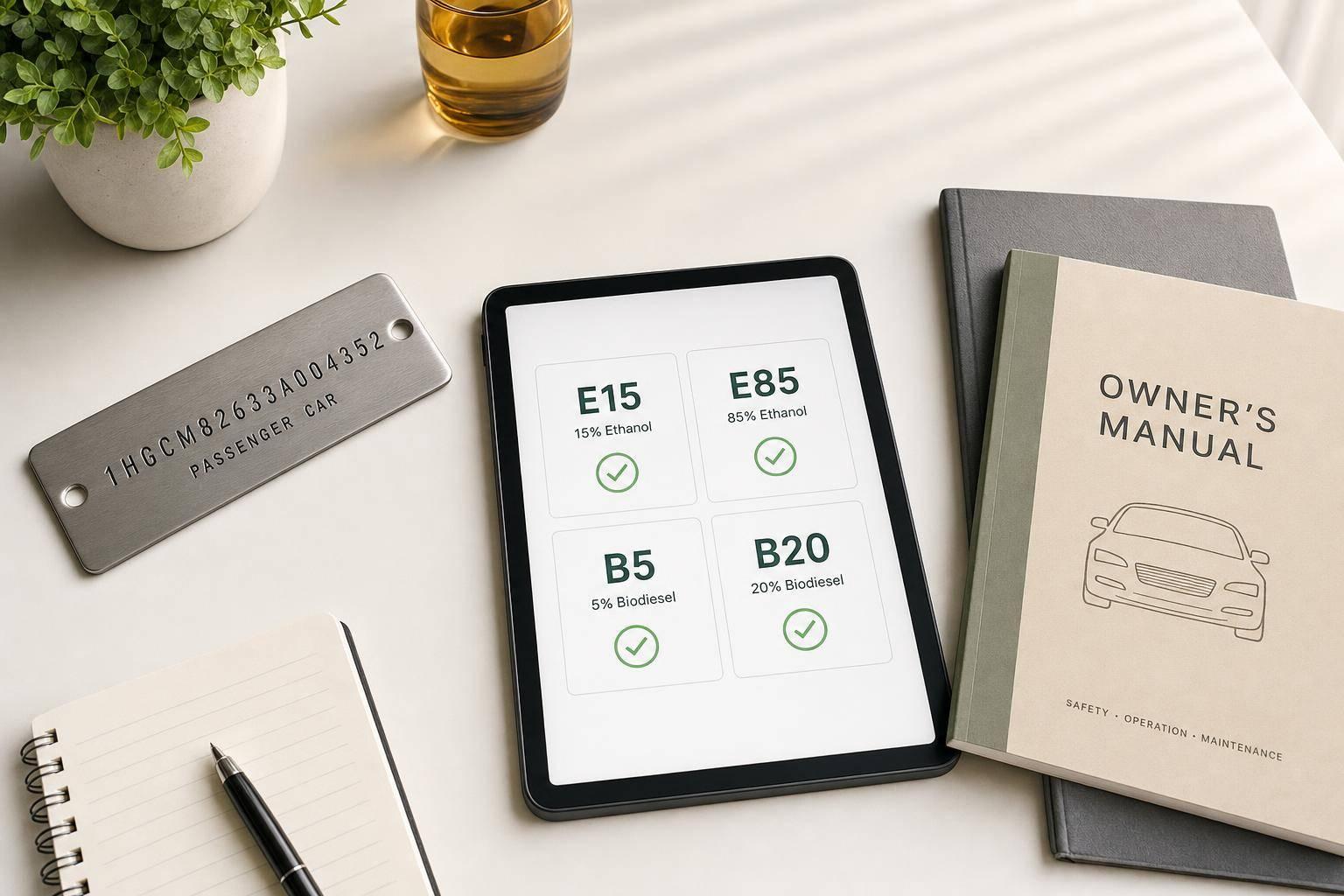
A VIN can help you screen fuel rules fast, but it should not be your final approval step. I’d use it to sort vehicles by model year, fuel type, flex-fuel status, diesel status, and weight class, then match that data to rules for E15, E85, B5, and B20.
Here’s the short version:
- E15 is generally allowed for model year 2001 and newer light-duty vehicles
- E85 usually requires a clear flex-fuel vehicle (FFV) match
- B5 and B20 depend more on diesel specs, GVWR, and OEM approval
- A decoded VIN helps cut down misfueling risk across large fleets
- VIN data shows factory setup, not later modifications or swaps
If I were building this into a process, I’d do it in this order:
- Validate the 17-character VIN
- Decode fuel type, engine, model year, and class
- Check rule logic for ethanol or biodiesel
- Tag the vehicle with a fuel-use status
- Store the result with the timestamp and rule version
- Send unclear cases to manual review
A few points matter most. Model year is the first screen for E15. Fuel type and FFV flags help sort gasoline, flex-fuel, and diesel vehicles. For diesel units, GVWR and OEM fuel specs matter before allowing blends like B20. And if a VIN only shows “gasoline” or “diesel,” that still may not tell you the highest approved blend.
This means VIN decoding is best used as a first-pass rules engine. It gives you a repeatable way to screen many vehicles at once, while OEM manuals, EPA/DOE sources, and service records handle the final check.
What a VIN Reveals About Fuel and Engine Type
A VIN has three parts: WMI, VDS, and VIS. When you’re screening for biofuel use, the VDS and the model year do most of the heavy lifting. Those are the fields that help a decoder turn a raw VIN into a fuel-screening record.
VIN Fields Used for Fuel and Engine Decoding
Positions 4 through 8 are manufacturer-specific. They usually encode the engine type, fuel system, displacement, and sometimes body style or vehicle weight class. Position 10 identifies the model year, and that matters because fuel rules often depend on it. For example, E15 use is allowed for model year 2001 and newer light-duty vehicles [3][4][5].
The catch is simple: OEM coding is not standardized. The same character in position 8 could mean a 3.5L gasoline V6 for one brand and a flex-fuel inline-4 for another. So a decoder can’t just look at one character in isolation. It needs the WMI too, along with the right OEM decoding rules. And with thousands of WMI codes out there, manual decoding just doesn’t work at scale.
VIN Section Positions Fuel-Relevant Data WMI 1–3 Manufacturer identity; determines which OEM decoding scheme applies VDS 4–8 Engine type, fuel type, displacement, vehicle weight class VIS – Model Year 10 Model year; anchors the vehicle to the correct fuel rules
Once those fields are decoded, the next move is to match them against U.S. ethanol and biodiesel rules.
Biofuel-Relevant Attributes You Can Extract from a VIN
A decoded VIN can return several fields that support fuel-compatibility checks. Fuel type is the main filter because it tells you whether ethanol or biodiesel blends even belong in the conversation. That could mean gasoline, diesel, flex-fuel, CNG, or a similar category.
Engine displacement and configuration help line the vehicle up with known OEM fuel system designs. Body class and GVWR category separate light-duty vehicles from heavier trucks, which matters because U.S. biofuel standards do not treat those groups the same way.
Here’s what that looks like in practice:
- A decoded diesel pickup may move into biodiesel screening
- A 2001+ gasoline sedan may qualify for E15 checks
That kind of segmentation is what makes VIN decoding so useful when you’re dealing with large vehicle sets.
What VIN Decoding Cannot Confirm on Its Own
VIN data shows the factory setup, not what may have changed later. If someone swapped the engine, modified the fuel system, or changed tuning, the VIN won’t show it.
There’s another limit too: the VIN standard does not require clear biofuel-compatibility fields. A decoder may correctly identify a vehicle as diesel, but still not know whether its fuel system is rated for B5, B20, or anything higher. Emissions hardware such as diesel particulate filters (DPF) and selective catalytic reduction (SCR) systems can also shape biodiesel tolerance. But that data is tied to model year and engine generation, not always to one VIN character.
So even when VIN decoding gets you close, it’s not the final word. The results still need to be checked against OEM and regulatory sources before any fuel decision is locked in.
sbb-itb-9525efd
How to Map Decoded VIN Data to U.S. Biofuel Standards
Use decoded VIN fields to screen vehicles against EPA, DOE, and state-specific fuel rules. Treat the decoded fields as a rule engine, not the final sign-off.
Matching Model Year, Fuel Type, and Engine Code to Ethanol Standards
Start with model year. E15 applies to 2001 and newer light-duty vehicles [2][1]. After that, check whether the decoder shows gasoline or FFV/E85 capability. Use the engine code as a confirmation step, not the first step. Its job is to verify the OEM-approved fuel system before approval.
The practical flow is pretty simple:
- Use the decoded fuel type first
- Use FFV/E85 flags to confirm ethanol capability
- Use engine code to verify the OEM fuel-system setup
If the decoder clearly marks the vehicle as FFV/E85-capable, treat it as E85-eligible pending OEM confirmation.
Use CARB as a separate emissions check for California vehicles. Don’t treat an emissions tier as proof that the vehicle can use a given fuel blend.
Using Diesel and Vehicle Class Data for Biodiesel Decisions
For diesel vehicles, use fuel_type_primary and GVWR to split light-duty vehicles (GVWR ≤ 6,000 lbs) from heavier classes. Then check the OEM fuel spec for B5 or B20 approval. Biodiesel limits can change by vehicle class, so the VIN data helps narrow the path, but it doesn’t settle the issue on its own.
Table: VIN-Decoded Fields vs. Allowed Biofuel Blends
VIN-Decoded Field E15 E85 B5 B20 Key Check Model year 2000 or older, gasoline ❌ No unless FFV - - E15 is limited to 2001+ light-duty vehicles Model year 2001+, gasoline (no FFV flag) ✅ ❌ - - Confirm no FFV indicator Model year 2001+, gasoline + FFV/E85 flag ✅ ✅ - - Validate FFV status with OEM docs Diesel, GVWR ≤ 6,000 lbs - - OEM approval required OEM approval required OEM approval required Diesel, GVWR > 6,000 lbs - - OEM approval required OEM approval required OEM approval required
These field-to-standard rules can serve as inputs for an automated compliance workflow.
Building a VIN-Based Biofuel Compliance Workflow with APIs
VIN-Based Biofuel Compliance Workflow: From Raw VIN to Fuel Approval
Turn decoded VIN data into a repeatable compliance workflow. When the process is set up well, you cut manual lookups and make the same call every time, across every vehicle in a fleet.
From Raw VIN Input to a Structured Compliance Record
A VIN workflow usually moves through intake, decode, match, tag, store, and report. A user or system submits a 17-character VIN, and the platform checks the format before anything else happens. If the VIN is invalid, it gets flagged for manual review instead of being pushed farther down the line.
After that, the platform calls a VIN decoding API to pull structured attributes like fuel type, engine code, GVWR, and vehicle class. The system then checks the model year against ethanol cutoffs, reads the fuel type for flex-fuel or diesel flags, and uses GVWR and vehicle class to figure out which standard applies. From there, it assigns a biofuel compatibility tag, such as Approved for E15, Flex-fuel – E85 allowed, Diesel – B20 allowed, or Not approved for E85 or B20.
The next part matters more than people think: store the decoded response, compliance tag, timestamp, and rule version together. That record trail is what lets a fleet manager, claims team, or auditor trace exactly how a given compatibility decision was made.
Using CarsXE for VIN Decoding and Vehicle Specification Data
The API should return only the decoded fields needed for the rule match. CarsXE offers a RESTful VIN Decoder API and a Vehicle Specifications API that plug straight into this workflow. A VIN Decoder call returns structured fields like fuel type, engine code, and vehicle class.
If you need more detail, a follow-up Vehicle Specifications API call can return added specs such as engine configuration and GVWR. Those fields help when matching vehicles against U.S. biofuel standards and internal approval rules.
Table: Where the API Fits in Each Compliance Step
Workflow Step Action Key Data Fields API Role VIN Intake Validate 17-character VIN format Raw VIN string Input gatekeeper; flag invalid VINs before decode Decode Retrieve vehicle attributes Fuel type, engine code, GVWR, vehicle class CarsXE VIN Decoder API and Vehicle Specifications API Standards Matching Compare attributes to biofuel rules Model year, flex-fuel flag, engine code, vehicle class Logic layer; no API call - uses decoded output Compliance Tagging Assign biofuel-compatibility status Allowed blends (E15, E85, B5, B20), rule ID, confidence level Metadata written back to vehicle record Database Storage Persist decoded data and compliance decision Full decoded JSON + compliance tag + timestamp + data source Structured storage for audit, fleet planning, and claims Compliance Reporting Generate dashboards and exports Aggregated compliance status and fuel type counts Consumes stored records; no additional API call needed
It helps to keep decoding separate from the rules engine. That way, when standards change, you only need to update the rule table instead of touching the decode layer. Those stored compliance records can also be used to segment fleets and spot risk patterns.
Fleet Planning, Risk Control, and Key Takeaways
Using VIN Segmentation for Fleet Fuel Planning
Once compliance tags are in place, put them to work in day-to-day fleet planning. Decoded VINs let you split the fleet into E85-capable flex-fuel vehicles, biodiesel-approved diesel units, and conventional-fuel-only vehicles.
That split helps with practical decisions like where fuel should be available, what your procurement mix should look like, and which routes make sense for each vehicle group. It also gives you a clear basis for adding E85 dispensers, setting fuel-card controls, and planning access by fuel blend. For diesel subfleets, blend approval matters a lot: if some units allow B20 and others only B5, you can limit higher-blend pump access to the vehicles that are cleared for it.
There’s also a cost and range side to this. FFVs running on E85 usually lose 15–30% fuel economy compared with gasoline, so that needs to be built into route planning, fill-up frequency, and operating-cost estimates.[6][9] Decoded fuel type and vehicle class can also feed emissions reporting by using AFDC or EPA factors.[10][12][13]
Data Quality Limits and Validation Checks
VIN data is a strong starting point, but it shouldn’t be the only thing driving fleet decisions. OEMs decide how fuel and engine details are encoded in the VIN structure, and that setup changes by manufacturer, model year, and sometimes even by production plant. That means one decoder result may not tell the whole story.
This gets even trickier with vehicles from the 1990s and early 2000s. In many cases, digital records for ethanol or biodiesel compatibility are incomplete. A decoder may simply return "Gasoline" or "Diesel" without stating the highest approved blend.
Before approving higher blends like E85 or B20, check decoded results against the Department of Energy's Alternative Fuels Data Center (AFDC), OEM technical service bulletins, and owner's manuals. If a VIN comes back with unclear or conflicting fuel data, send it to manual review instead of letting it move through the system on autopilot.[11][13][15]
A few checks matter most:
- Review both
fuel_type_primaryandfuel_type_secondary - Watch for flex-fuel capability listed only in the secondary field
- Audit compatibility tags at least once a year, or any time new standards are issued
That audit step helps keep your tags lined up with current OEM and regulatory guidance.
Key Points to Close the Guide
VIN decoding gives you the starting data for biofuel compliance: fuel type, engine, vehicle class, and model year. From there, those fields need to be matched against U.S. ethanol and biodiesel standards before they can guide fleet action. APIs make that process workable at fleet scale, even across thousands of vehicles, without manual VIN-by-VIN checks.[7][8][14]
When higher blends are involved, source validation is what turns decoded data into an approval decision.
FAQs
Can a VIN alone confirm E85 or B20 approval?
No. A VIN by itself can’t confirm E85 or B20 approval.
A VIN lookup with CarsXE can show the factory-installed engine and other vehicle specs. But that still isn’t enough to confirm fuel approval on its own.
For that, you should check the manufacturer’s official fuel-compatibility guidelines or the owner’s documentation. In plain English: a VIN is best for confirming the vehicle’s factory-built setup, not giving the final word on E85 or B20 use.
What VIN data matters most for biofuel screening?
The most important VIN-decoded detail for biofuel screening is the fuel type field. That’s the key piece because it tells you what the vehicle’s engine was built to use from the factory.
It also helps to check a few other specs, like the engine type, fuel capacity, and trim level. Those details can help confirm whether the vehicle may work with certain biofuel blends. CarsXE can provide this information in real time.
When should a vehicle be sent to manual review?
Send a vehicle to manual review if your due diligence process, such as a CarsXE VIN report, flags problems like missing or tampered emissions equipment or shows gaps between the vehicle’s actual condition and the seller’s specs.
VIN decoding helps confirm factory-built details and vehicle history. But it doesn’t tell you everything. A qualified mechanic still needs to inspect the vehicle’s current condition and check that it meets biofuel compatibility and emissions rules before you buy.
Related Blog Posts
- How VIN Decoding Powers Compliance Verification
- VIN Decoding for Emission Compliance Tracking
- How VIN Decoding Retrieves Vehicle Specs
- How VIN Decoding Helps with Import Compliance