Top Plate Recognition APIs for Traffic Systems

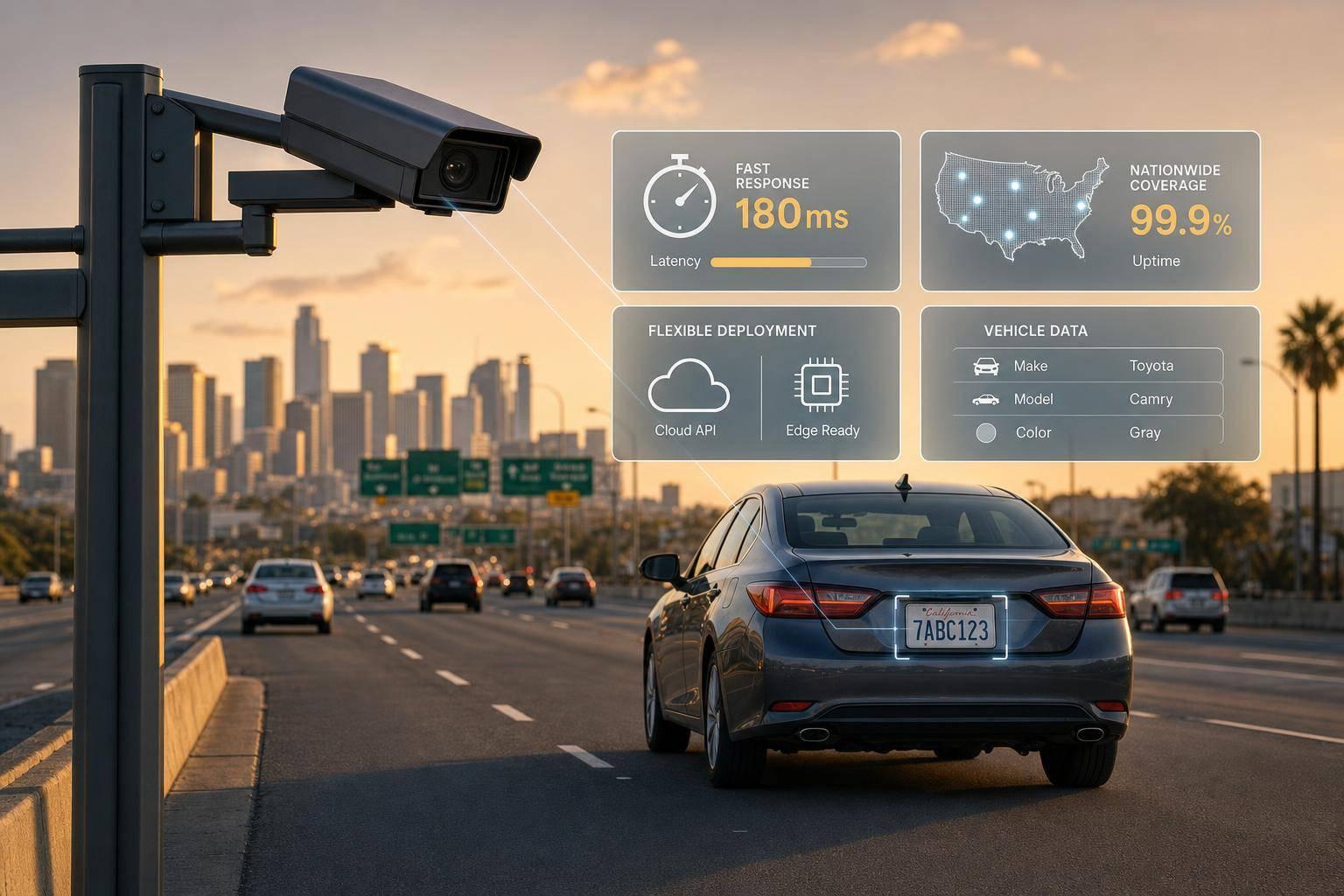
Top Plate Recognition APIs for Traffic Systems
If you need low delay, use edge ALPR. If you need plate reads plus vehicle data, I’d pick CarsXE. That’s the short answer.
Here’s the article in plain English:
- CarsXE is best when I want a plate read to turn into vehicle details in the same flow.
- Rekor Scout / OpenALPR Cloud is aimed at live traffic use like tolling and enforcement.
- Sighthound ALPR+ could not be judged here because source data was missing.
- Plate Recognizer is a simpler plate-reading option with support for all 50 U.S. states and 100+ countries.
- Edge ALPR SDKs and model APIs make the most sense when I need low delay near the camera or when internet links may drop.
The main things compared are:
- U.S. coverage
- Latency
- High-speed traffic fit
- Integration work
- Pricing in U.S. dollars
- Extra vehicle data
A few numbers stand out:
- CarsXE lists about 118 ms processing per image
- Highway-focused flows in the article point to about 117-227 ms per image
- CarsXE covers 50 states, D.C., and U.S. territories
- Plate Recognizer supports 100+ countries
Real-Time License Plate Recognition demo using ALPR SDK | ITS America 2026 | e-con Systems
Quick Comparison
Top Plate Recognition APIs Compared: Latency, Coverage & Use Cases
API Best use What it returns Deployment Main trade-off CarsXE Parking, enforcement, permit checks, vehicle lookup Plate text, region, confidence, vehicle data chain Cloud API Needs internet Rekor Scout / OpenALPR Cloud Tolling, enforcement, live camera feeds Plate-focused results Cloud / traffic-focused setup Less depth on vehicle data Sighthound ALPR+ Not clear from the sources Not confirmed Not confirmed Not enough verified data Plate Recognizer Plate-first traffic workflows Plate text and metadata Cloud API No built-in vehicle enrichment Edge ALPR SDKs / model APIs Roadside, gantries, poor-connectivity areas Plate text, boxes, type, confidence On-site / edge More hardware and upkeep
My takeaway: traffic teams usually choose between two paths. They either want the fastest local read possible or they want a plate read that can feed the rest of the system right away. This article lays out that trade-off without much fluff.
1. CarsXE Plate Image Recognition API
CarsXE combines plate recognition with vehicle data enrichment in one API. That makes it a good fit for enforcement, tolling, and access control teams that want both jobs handled in the same workflow.
U.S. Plate Accuracy
CarsXE supports plate formats from all 50 states, DC, Guam, Puerto Rico, and the U.S. Virgin Islands. The API returns a confidence score for each plate it reads, along with a region object like us-ca that points to the plate design. Teams can use score thresholds to send high-confidence reads straight into enforcement workflows, while lower-confidence reads go to manual review [3][4][6].
That split matters. It gives teams a simple way to separate reads they can act on from reads that may need a second look.
Real-Time Latency
CarsXE documentation lists processing time at about 118 milliseconds per image [6]. End-to-end latency still depends on image delivery and OCR, so hosted image URLs help keep requests light.
For tolling or gated parking, one common setup is to let the vehicle move through on sensor triggers first, then run recognition and vehicle data enrichment right after the image is captured.
Deployment and Integration
CarsXE runs as a cloud REST API, which makes deployment and maintenance easier across many jurisdictions [6]. Plates from different states go through the same authenticated endpoints, while model updates, new plate formats, and data improvements are managed in one place.
Agencies still need standard governance controls, including:
- Encrypted transmission
- Minimal retention of plate images
- Role-based access control
Traffic Integration
In traffic systems, the main win is simple: a plate read can turn into an immediate vehicle lookup. CarsXE links plate reads with vehicle specifications through its Vehicle Plate Decoder API [6]. After the plate is recognized, the same platform can decode it into a VIN and pull specs, value, history, and recalls through one API [9][11][12].
A common workflow looks like this:
- A roadside camera captures a frame
- The image URL is sent to
plateImageRecognition - The returned plate string and state code are passed to
platedecoderfor VIN and vehicle attributes - The result feeds permit checks, pricing, alerts, and logging [8][10][12]
SDKs for Node.js, PHP, and Swift are available, along with Make.com, n8n, and Microsoft Power Automate integrations. Those options can cut down implementation time [10][13][14][15].
2. Rekor Scout / OpenALPR Cloud
Rekor Scout / OpenALPR Cloud matters most in places where live camera feeds need to turn into fast, usable plate reads. It’s built with traffic operations in mind, especially for enforcement, tolling, and monitoring work.
What matters most here is pretty simple: speed, deployment, and API fit. If a system can read plates fast but creates friction for the traffic stack around it, that’s a problem. Rekor is aimed at setups where those reads need to move cleanly into existing traffic systems without a lot of extra hassle.
3. Sighthound ALPR+
Verified details on Sighthound ALPR+ were not available in the provided sources. Because of that, its U.S. accuracy, latency, deployment model, and traffic integration can't be assessed here.
The next section looks at options with published performance and integration details.
sbb-itb-9525efd
4. Plate Recognizer
For teams that care about plate reads first and not much beyond that, Plate Recognizer keeps things simple. This section looks at plate-only recognition for camera-based traffic workflows.
U.S. Plate Accuracy
It’s trained on plates from 100+ countries and all 50 U.S. states [2][5]. The system can read plates at different angles and across varied backgrounds [2]. That matters when one camera is mounted high, another sits near a gate, and every state seems to use a different plate style. In mixed-camera traffic networks, that kind of coverage helps keep reads more consistent.
Real-Time Latency and Traffic Integration
Cloud image submission keeps integration light for nonstop camera feeds. Plate Recognizer uses a cloud API, so you send each image to POST /platerecognition and get back plate text plus metadata for use in enforcement, parking, or monitoring workflows. The result can flow straight into enforcement systems, access control, or audit logs.
5. Edge ALPR SDKs and Real-Time Model APIs
When cameras sit on the roadside, the challenge isn't just OCR anymore. The bigger issues are connectivity, delay, and making decisions on the spot. Edge setups need low latency and the ability to keep working through short network drops, which is why regional endpoints and local caching matter just as much as plate recognition speed.
Real-Time Latency
Round-trip time changes based on network distance, so regional endpoints help cut delay [7]. For parking and municipal use, caching vehicle specification data locally for up to 90 days cuts repeat API calls and helps keep response times steady during connection gaps [1].
Deployment Model
The setup is fairly light. A roadside camera or gateway sends images to the API, then uses the response on-site for immediate action. The API returns structured JSON with plate text, bounding box coordinates, vehicle type, and confidence scores [2].
CarsXE's Plate Decoder API covers all 50 U.S. states, Washington, D.C., and territories including Guam, Puerto Rico, and the U.S. Virgin Islands [3][4]. Before triggering gates or signal changes, use a minimum confidence threshold [2]. That small check can make a big difference when a gate, lane controller, or alert needs to fire right away.
Traffic Integration
In traffic operations, the payoff is highest when a plate read triggers a rule at the point of capture. Vehicle type and fuel type classification can support lane control and route EVs to charging spots [1][2]. CarsXE's Plate Image Recognition API can also work with the Plate Decoder and Vehicle Specifications API, so a single plate read can surface vehicle class and dimensions for gantry height limits and garage weight limits [1][4].
Accuracy, Latency, Deployment, and Integration Across Traffic Scenarios
Traffic scenarios don’t all ask for the same thing from plate recognition. Some need high-confidence reads. Others care most about speed, extra vehicle data, or handling lots of camera feeds at once. And the same API can perform very differently once camera angle, vehicle speed, and the next action in the workflow shift. The best place to start is with the toughest setup: urban intersections.
Urban Intersections and Signalized Corridors
Urban intersections call for high-confidence reads. A bad read here can create a mess fast, especially if the system feeds into enforcement or traffic review. That’s why it makes sense to use the confidence score and candidate list to send uncertain captures to manual review instead of acting on a weak result.
If the intersection handles more than standard passenger cars, vehicle type detection adds another layer of control. It covers motorcycles, RVs, and trucks along with regular vehicles[2][4].
Freeway Gantries and High-Speed Roadways
On freeways, latency becomes the main issue. Vehicles move fast, so the system has less room for delay. Processing runs at about 117–227 ms per image[2][5], which is fast enough for most highway monitoring setups when paired with a regional endpoint[7].
The JSON output also includes plate and vehicle bounding boxes. For gantry systems, that spatial data matters because it helps tie each read to the right object in the frame[2][5].
Campus Roads and Municipal Parking
Campus and municipal parking workflows usually get the most out of plate-to-vehicle enrichment and local caching. In plain English, that means you can attach more context to a plate read while cutting down on repeat API calls for the same vehicle.
The matrix below sums up the main tradeoff in each setting.
Scenario Key Priority Best Fit Feature Urban intersections Confidence filtering, vehicle type Confidence score, candidate list, type detection Freeway gantries Low latency, dimension data Fast cloud processing, specs chaining Campus and parking Data enrichment, caching Plate Decoder pairing, 90-day cache Multi-camera operations Scalability, structured output JSON output and bounding boxes
Multi-Camera Monitoring and Centralized Operations
Once you move to multi-camera setups, the challenge changes. It’s less about a single read and more about keeping output consistent across many feeds. Structured JSON helps here because it maps cleanly into traffic management databases or enforcement platforms without extra parsing[2].
There’s also support for Zapier and Model Context Protocol (MCP). That makes it easier to connect plate data with existing CRM or AI workflows without building custom glue code from scratch[17].
Pros and Cons of Each API
These APIs vary most in what they return, how they’re deployed, and how easily they plug into live traffic workflows. There isn’t one perfect fit for every traffic setup. In practice, the trade-offs usually come down to data depth, latency, and whether you want a cloud or edge model.
CarsXE stands out for deeper metadata and enrichment. It can return plate text, region, confidence, vehicle type, and then connect that to VIN, make, model, year, fuel type, and engine data. That makes it a strong match for connected traffic workflows. The flip side: its cloud setup is not a match for offline, edge-only deployments.
The table below breaks those trade-offs down for traffic operations.
API Main Pros Main Cons Best For Poor Fit For CarsXE Plate Image Recognition Plate-to-vehicle enrichment; broad U.S. coverage plus international plate support [2][4][5] Cloud-based; requires an internet connection [2][16] Municipal parking, fleet management, and multi-jurisdiction traffic systems Offline or edge-only environments Rekor Scout / OpenALPR Cloud Built for live camera feeds; fast reads designed for enforcement, tolling, and monitoring Limited metadata depth beyond plate text High-throughput enforcement and tolling corridors Workflows requiring deep vehicle data enrichment Sighthound ALPR+ Designed for ALPR use cases Published performance and integration details not available for assessment Undetermined without verified data Scenarios requiring confirmed accuracy or latency benchmarks Plate Recognizer Trained on 100+ countries and all 50 U.S. states; handles varied angles and backgrounds [2][5] Plate-only output; no native vehicle data enrichment Camera-based enforcement, parking, and monitoring workflows Workflows requiring VIN, specs, or vehicle history Edge ALPR SDKs and Real-Time Model APIs Low-latency local processing; works through short network drops; regional endpoints reduce round-trip time [7] Requires on-site hardware; more complex to maintain across jurisdictions Roadside and gantry deployments with connectivity constraints Centralized cloud-first operations needing unified data output
If you strip it down, the choice is pretty simple. Some tools are built to read plates fast in live traffic. Others are built to turn a plate read into more useful vehicle data. And some are better when the network is shaky and local processing matters more than cloud convenience.
Conclusion
Across the systems reviewed, the big trade-offs come down to latency, deployment model, and data depth. If the goal is fast detection at freeway gantries or signalized corridors, edge-based deployments are the better fit because they keep processing close to the camera and cut delay. If the goal is enforcement, parking management, or city monitoring where a plate needs to connect to vehicle details, a vehicle-enrichment platform makes more sense.
For U.S. deployments, APIs that accept state codes and cover all 50 states and U.S. territories do a better job of mapping plates to the right jurisdiction [3][4]. That matters most when a plate read needs to move straight into downstream vehicle data.
The picture changes when enrichment matters just as much as recognition. CarsXE fits best when plate reads need to flow into enforcement, parking, or city monitoring without extra parsing [2][5].
Choose edge processing for the lowest latency, and choose CarsXE when a plate read needs to become usable vehicle data right away.
FAQs
When should I use edge ALPR instead of a cloud API?
Use edge ALPR when you need real-time, ultra-low latency processing or when a steady internet connection isn't available.
Use a cloud API like CarsXE when you need scale, high-volume processing, and access to vehicle data that gets updated over time. Edge systems handle the first pass of character recognition on-device, while cloud APIs are better for turning plates into details like VIN, vehicle history, or market value.
How can plate reads be turned into vehicle data in one workflow?
Use two APIs in one workflow. Start with the CarsXE Plate Image Recognition API to pull the license plate number from a vehicle image.
Then send that plate number, along with the state, to the Vehicle Plate Decoder API.
You’ll get back detailed vehicle data like make, model, year, VIN, and other specs. In plain English, that means you can turn a basic plate read into information you can actually use.
What matters most for ALPR in tolling, parking, and enforcement?
The top priorities are high recognition accuracy, real-time performance, and strong preprocessing.
That matters because street-level conditions are rarely perfect. In the real world, systems have to deal with motion blur, poor lighting, and bad weather. AI-driven noise reduction helps keep identification reliable even when the image quality takes a hit.
These systems also need to handle different plate formats without falling apart. On top of that, they need strict privacy compliance and smooth integration with vehicle data such as weight, dimensions, and fuel type. That extra data supports pricing, safety enforcement, and more personalized parking.
Related Blog Posts
- Top 7 APIs for Multi-Country Plate Decoding
- RNNs for Vehicle License Plate Recognition
- Ultimate Guide to License Plate Data Interoperability
- Real-time Multi-language Plate Recognition: How It Works