Top Use Cases for Car Make and Model Recognition

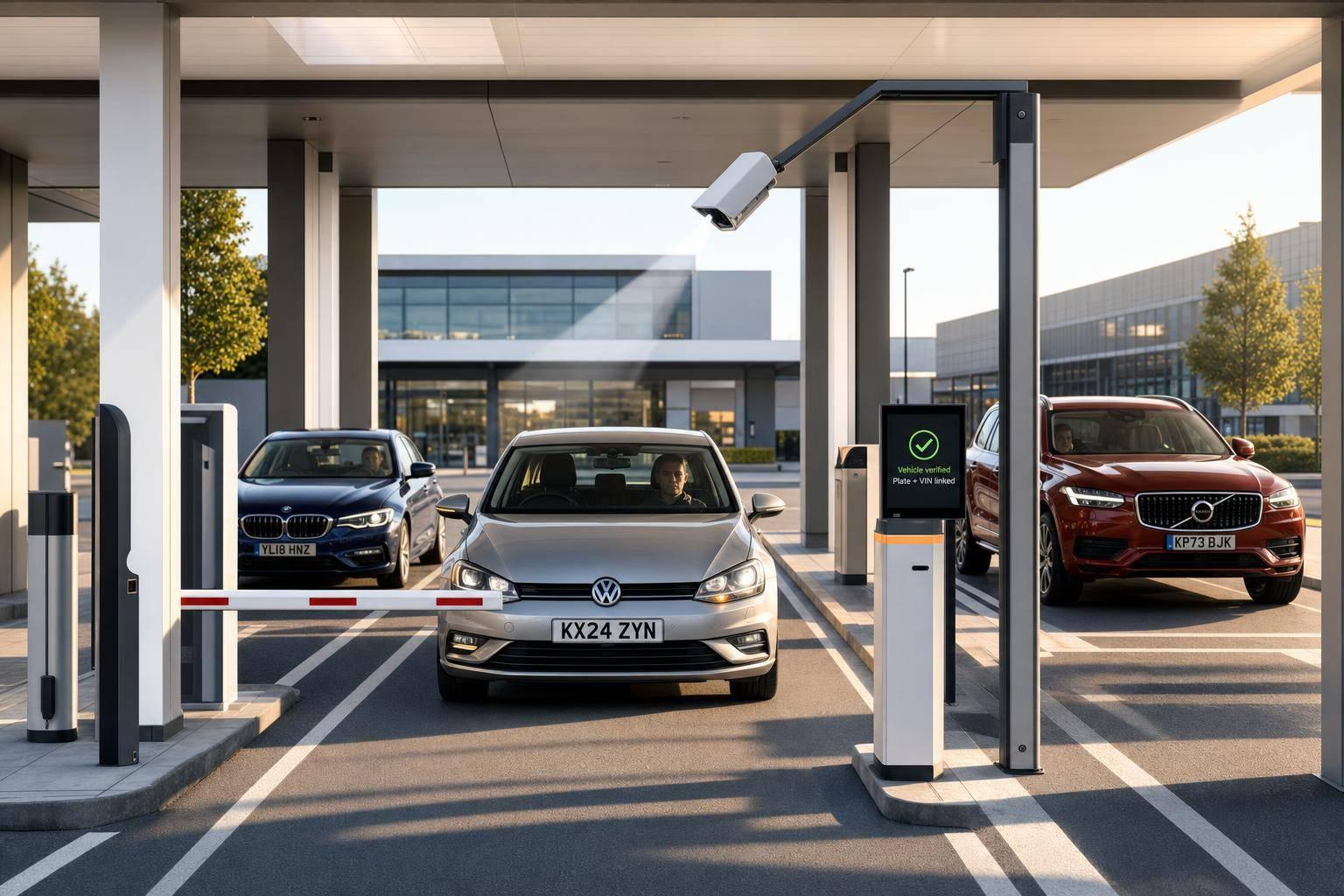
Top Use Cases for Car Make and Model Recognition
Car make and model recognition is most useful as a check layer, not a stand-alone answer. It helps teams match what a camera sees with plate, VIN, and vehicle records before they bill, approve access, review a claim, or act on an alert.
Here’s the short version: if you use MMR well, you can cut false alerts, speed gate and lane decisions to under 50 ms, and add vehicle details that a plate alone can’t show. In the article, I see one clear pattern: the image read is only step one. The next step is what matters.
This article covers 10 main use cases:
- Traffic enforcement and public safety
- Smart parking, access control, and gated sites
- Urban planning, traffic analytics, and smart city programs
- Automotive retail, classifieds, and dealer workflows
- Insurance underwriting, claims, and fraud checks
- Tolling, congestion pricing, and road-use charging
- Fleet management, logistics, and car rental
- Retail, drive-through, and customer experience
- Security, loss prevention, and campus monitoring
- Developer and product integrations with CarsXE
A few facts stand out:
- Some systems report 98% to 99.9% accuracy in ideal conditions
- Edge inference can drop latency from 2–3 seconds to under 200 ms
- Gate triggers can stay under 50 ms
- ALPR errors can happen in about 1 in 10 reads
- MMR works best when teams cross-check image + plate + VIN + back-end vehicle data
If I had to sum up the full piece in one sentence, it would be this: MMR helps when you need to confirm the vehicle, route it, price it, flag it, or link it to the right record.
10 Car Make & Model Recognition Use Cases: Goals, Data & Key Metrics
Vehicle Make and Model Recognition (VMMR) Demo
sbb-itb-9525efd
Quick comparison
Use case Main goal What MMR adds Traffic enforcement Check alerts before action Make/model/color match against hotlists Parking and gates Let the right car in fast Vehicle size, type, and permit match Urban traffic analysis See what vehicles use the road Category, year range, and flow patterns Auto retail Build listings and intake records YMM, specs, trim clues, and photo-based ID Insurance Check identity and claim fit Match image, plate, VIN, and policy details Tolling Bill the right vehicle class Vehicle type and mismatch checks Fleet and rental Move units through yards and lanes Verify the right vehicle at check-in/out Retail and drive-through Personalize service Recognize repeat vehicles and trigger flows Security and campus use Search and monitor vehicles Filter by make, model, color, and time Developer apps Turn recognition into vehicle data Feed specs, value, recalls, and history into apps
Before I build around MMR, I’d focus on four things first:
- Image quality: low light, blur, weather, and blocked views hurt results
- Latency: live gates, toll lanes, and alerts need near-instant output
- Enrichment: plate and VIN lookups turn a car image into a usable record
- Privacy: once vehicle data is tied to plate, time, or location, treat it as sensitive
That’s the core of the article: MMR is not just about naming a car. It’s about helping you make the right next decision with more confidence and less manual work.
How Car Make and Model Recognition Fits Into U.S. Workflows
A common U.S. workflow is pretty simple on the surface: capture the image, identify the vehicle, then enrich the record. A camera gets the vehicle image. MMR figures out the make and model. Then back-end systems layer on plate data, VIN decoding, specs, valuation, recalls, or history. That step-by-step flow sits behind the use cases that come next.
The VIN is the bridge between what the camera sees and the vehicle records teams need. Once a plate is pulled with OCR, CarsXE can decode that plate into a VIN and then return specs, value, recalls, and history [4][10][11]. In plain English, MMR and plate recognition start the process, and the VIN lookup turns raw image data into vehicle data people can act on.
That only works well when image quality is good enough. Low light, rain, snow, motion blur, and occlusion all chip away at the visual signals MMR relies on, like grille patterns, headlight geometry, and badge placement. Specialized low-light camera arrays can help at night, and HDR cameras can deal with harsh lighting [3]. Using front, side, and rear views - and cross-checking them - cuts down on misidentification [8]. So the limits of image capture often become the limits of MMR in public-facing setups.
Trim variants add another layer of difficulty because small styling changes can affect recognition, fitment, and value. A Ford F-150 XLT and a Lariat can look almost the same. Mid-cycle refreshes make things harder because automakers often change the front fascia while leaving the rear mostly the same [8]. Aftermarket parts, like custom bumpers or non-stock wheels, can also cover up the factory details the system expects to see. When that happens, systems need fallback methods based on body proportions and window shapes [8]. That's a big deal in retail, underwriting, and fleet work, where small visual differences can change the outcome.
It also helps to standardize outputs for U.S. use from day one:
- MM/DD/YYYY for dates
- mph for speed
- °F for temperature
- $ for currency
- Two-letter state codes for location data [4][11]
Once outputs are normalized, teams can compare vehicles more easily, report results in a consistent way, and automate the next steps with less cleanup.
1. Traffic Enforcement and Public Safety
In public safety, MMR matters most when agencies need a second check before acting on a hit.
A license plate by itself isn't enough. Plates can be counterfeit, blocked, reassigned, or missing. That means plate-only systems can miss mismatches that matter. MMR adds another layer by checking whether the ALPR result lines up with the vehicle's visible traits [1]. In the field, that extra check can help officers avoid risky stops.
Primary Business Outcome
The clearest win is fewer dangerous stops caused by false alerts. If an ALPR system flags a plate as stolen, MMR can check whether the vehicle's make, model, and color match the watchlist record before an officer acts on the alert [12]. That cuts false positives, helps avoid unsafe stops, and can speed up response time.
That only works well when the system has clear vehicle images, matching hotlist data, and fast enrichment.
This matters because mistakes are part of the job. Independent testing shows about 1 in 10 ALPR readings contain an error, such as the wrong state or a bad character read [12]. MMR doesn't fix every issue, but it does add a verification step that can catch the mismatches most likely to lead to a bad stop.
Core Input Data
In enforcement settings, MMR uses high-resolution video or still images from roadway, intersection, or mobile ALPR cameras. It reads vehicle traits like make, model, model year range, vehicle type, and color, then links that data with plate reads and watchlist records [1][14]. Vehicle data APIs can enrich raw plate data with specs and VIN history. Modern systems can support more than 240 makes and over 1,700 vehicle models [1].
Real-Time vs. Batch Workflow
That verification usually happens in two ways: live alerts and after-the-fact review.
Real-time processing is used when agencies need to act right away, such as stolen vehicle alerts, AMBER Alert response, and access control [12][16][7]. Inference can run in as little as 4 ms on GPU hardware [7]. Batch analysis works through recorded footage later. Investigators use it to rebuild a suspect's route, find a vehicle of interest in past footage, or check citizen-reported violations [1][12][17].
Key Integration Dependencies
In practice, this only works when MMR ties cleanly into dispatch and case systems.
MMR connects with ALPR camera networks, hotlist databases like NCIC, CAD/RMS systems for dispatch and case reporting, and police intelligence platforms for deeper analysis [5][1]. Edge hardware is becoming more common for agencies that want low-latency, always-on processing without sending sensitive video through the cloud [9]. A vehicle data API can turn camera hits into vehicle details that dispatchers and detectives can actually use [13][15].
2. Smart Parking, Access Control, and Gated Facilities
In parking, the job is a little different. The system isn’t trying to spot a mismatch first. It’s trying to let the right vehicle in, fast. In garages, HOAs, campuses, and private lots, MMR checks whether the vehicle at the gate matches the permit on file [1].
Primary Business Outcome
The biggest gains are faster entry, tighter gate rules, and better use of parking space. Automated recognition can cut entry times by 60%, and smart space assignment based on vehicle size can increase parking capacity by up to 15% [18]. Facilities can also set tiered pricing and access rules by vehicle type [4].
That matters because these calls rely on the vehicle’s physical profile, not only the plate.
Core Input Data
For parking use cases, MMR depends on high-resolution images from ALPR cameras - 720p or higher - to pull make, model, model year range, and color [19]. That vehicle data can then be used to check clearance, weight limits, and EV charging access [4].
Attribute Parking Application overall_height Clearance verification for low-ceiling garages fuel_type Directing EVs to charging zones curb_weight Enforcing weight limits in multi-story lots type/style Applying tiered pricing (SUV vs. motorcycle rates)
Real-Time vs. Batch Workflow
At the gate, speed is everything. A driver doesn’t want to sit there while the system thinks. Gate decisions need to happen in milliseconds, which is why edge inference works well for active access control. Running recognition on local edge hardware can keep gate triggers under 50 ms and help the system keep working during an internet outage [9].
Batch analysis plays a different role. It helps teams review vehicle mix, peak-hour traffic patterns, and staffing needs [18].
Key Integration Dependencies
A working setup links ALPR cameras, MMR software, a vehicle data API, and the gate controller [19]. It also helps to cache common records locally so the system doesn’t keep making the same API calls and slowing down gate response times [4].
Camera setup matters too. Use IR/WDR cameras mounted 15–30 degrees off-center to keep reads accurate at night and in direct sun [19].
3. Urban Planning, Traffic Analytics, and Smart Cities
Beyond enforcement and gate control, MMR also gives cities a way to study traffic at scale.
Basic traffic counts tell you how many vehicles pass through an area. MMR adds the missing layer: what kinds of vehicles are actually using those roads. That matters a lot for lane design, signal timing, and emissions rules.
Primary Business Outcome
City planners and transportation agencies use MMR to get a clearer view of how different vehicle types move through urban corridors. That helps them design lanes for heavy freight traffic, support low-emission zone enforcement, and tune signals to favor buses or emergency vehicles [1][21][23].
A good example is London's Ultra Low Emission Zone. Backed by recognition technology, it cut nitrogen dioxide levels by nearly 50% in some areas [23].
Core Input Data
All of this depends on one thing: the system has to classify vehicles from roadside video with steady results.
MMR systems pull data such as vehicle make, model, generation, model year, category, and color from ALPR or CCTV feeds [1][7][22]. Categories can include sedan, SUV, LCV, and heavy truck [1][7][22]. More advanced setups can also detect special vehicle classes like taxis and ambulances, which helps with priority routing [7].
Accuracy can reach up to 98% for make and model identification and 95% for specific vehicle generations [1][7].
Vehicle details like make, model, generation, and color also help verify ALPR results and flag plate-vehicle mismatches.
Real-Time vs. Batch Workflow
Real-time inference is useful when timing matters, like signal priority or emergency response. Batch analysis is better suited for corridor planning, emissions studies, and infrastructure design.
Key Integration Dependencies
In city deployments, inference usually runs at the edge. The system then sends only anonymized vehicle attributes to traffic dashboards and GIS tools [7][23]. In practice, that means only anonymized vehicle attributes leave the system, which helps align deployments with U.S. privacy rules under CCPA and BIPA [9].
For emissions enforcement, make and model alone aren't enough. The system also needs to distinguish model years [21].
That same vehicle-level detail also feeds commercial use cases, where make and model data supports valuation, merchandising, and risk checks.
4. Automotive Retail, Classifieds, and Dealer Operations
The same image recognition that helps cities sort traffic can also make dealer intake and listing creation much faster. In automotive retail, MMR turns lot photos into structured inventory data. That means a simple walkaround photo can become a usable inventory record in seconds. For dealers and classifieds platforms, MMR cuts intake time and reduces listing mistakes by auto-populating listing fields the moment a vehicle is identified.
Primary Business Outcome
MMR speeds intake and cuts listing errors. When a vehicle is recognized from a photo, listing fields can fill in automatically. That keeps inventory data consistent and helps buyers feel more confident in what they’re looking at.
Core Input Data
Most retail workflows start with a VIN, plate, or Year/Make/Model (YMM). VINs return the most complete specs and history [25]. If a VIN isn’t available - which happens a lot with older vehicles or fast lot walkarounds - a YMM lookup can still return MSRP, standard features, available colors, and trim details [27][24].
CarsXE supports VIN, plate, and YMM lookups through a RESTful API.
Real-Time vs. Batch Workflow
Once the vehicle is identified, retail teams can use that data right away or process inventory in bulk. Real-time recognition works well for trade-ins, instant listings, and photo audits. Batch processing handles the behind-the-scenes work, like bulk inventory syndication to marketplace feeds, market-wide pricing updates, and large-scale merchandising workflows [26].
One simple win here: cache spec data. It can speed up inventory pages and cut repeat lookups.
Key Integration Dependencies
The data pipeline usually connects recognition output to an inventory management system, a pricing tool, and one or more marketplace feeds. On buyer-facing listings, VIN-linked history can surface accidents, title status, and ownership [26]. CarsXE also supports international inventory workflows [4][25].
5. Insurance Underwriting, Claims, and Fraud Detection
In insurance, MMR checks vehicle identity from claim photos before underwriting or payout decisions move ahead. The vehicle in the image has to match the policy record. That makes MMR useful both before a policy is issued and after a loss is reported.
It also sharpens underwriting and fraud screening by auto-filling trim-level risk data, such as make, model, trim, year range, and body type, and by supporting tighter valuation checks [24][28]. Vehicle history data helps flag prior damage, earlier losses, and other claim mismatches. From there, the next move is simple: match those model details against plate and VIN evidence.
Core Input Data
A strong setup combines plate recognition with VIN OCR. Decode the plate, read the physical VIN, and compare both with the policy record to catch VIN switching or cloned vehicles [14][29][30]. Plate recognition data can also include region and timestamp details, which helps verify garaging locations or usage patterns in certain jurisdictions [20].
Verification Step Input Data Fraud Detection Goal Identity Match License Plate Image → Plate Decoder Confirm the plate matches the vehicle body VIN Integrity Physical VIN (OCR) → Plate Decoder / License Plate Database Detect VIN switching or cloned vehicles Trim/Spec Check Image Recognition → YMM / Vehicle Specifications API Flag trim misrepresentation Condition Check Claim Images → Vehicle History API Surface pre-existing damage or prior total losses Valuation Decoded Specs → Market Value API Prevent overpayment on settlements
Real-Time vs. Batch Workflow
Real-time processing makes sense for active claims. A fast identity check can stop a fraudulent claim before money goes out.
Batch processing works better for policy renewals. For example, a carrier may revalue a book of business through a Market Value API to adjust premiums based on current depreciation [28]. To cut repeat API calls, cache vehicle spec data in policyholder profiles for up to 90 days [4]. Of course, that only helps if the recognition chain holds up from image capture through VIN lookup.
Key Integration Dependencies
The data pipeline links plate recognition, VIN OCR, vehicle specs, and claim validation in sequence [4]. Strong VIN OCR and low-light plate capture matter here because blurred accident-scene images are the main failure point in this workflow [31].
CarsXE's plate recognition is trained on license plates from more than 100 countries and states [14]. That's useful for insurers and claims teams dealing with out-of-state or international claims.
The same recognition layer also supports operational workflows beyond insurance, including tolling and fleet tracking.
6. Tolling, Congestion Pricing, and Road-Use Charging
The same verification layer that helps protect insurance payouts also helps protect toll revenue. In tolling, MMR checks plate reads and vehicle class before billing or enforcement. One bad plate read can lead to lost revenue, billing disputes, or the wrong enforcement action.
Primary Business Outcome
The main goal here is revenue assurance and accurate vehicle classification. Tolling agencies need to know more than which plate passed through. They also need to know what type of vehicle was using that plate so they can charge the right tiered rate and spot plate-swapping fraud, like a passenger-car plate placed on a commercial truck.
Modern MMR systems can classify vehicles into categories with over 99% accuracy and identify specific makes and models at up to 98% accuracy [7]. That matters because those details decide whether a vehicle gets a standard rate, a surcharge, a discount, or an exemption.
Core Input Data
Tolling systems turn vehicle traits into pricing tiers. A tolling MMR setup needs:
- A high-quality image from a high-speed ANPR camera
- The extracted plate string
- The two-letter state code
In the U.S., plate decoding uses the state code to resolve vehicle attributes [11][20]. Fields like is_truck, body_style, and fuel type then help determine the correct toll or surcharge [11][24].
Vehicle Attribute Role in Tolling Vehicle Category Sets the base fee tier (motorcycle vs. passenger car vs. heavy truck) Axle Count Needed for commercial and heavy-vehicle tolling classifications Fuel Type Supports EV discounts or low-emission surcharges Vehicle Generation Helps estimate emission standards for urban charging zones
Real-Time vs. Batch Workflow
Because billing happens on the spot, latency matters. Enterprise-grade recognition APIs can return results in under 100 ms [18]. That is fast enough to keep up with heavy traffic flow without creating delays. Dynamic congestion pricing also depends on real-time classification so the system can charge the right amount at the right moment.
Batch processing handles the back-office side of the job. That includes auditing flagged transactions, resolving disputes, and reviewing images with low confidence scores. This is where confidence scoring matters a lot. Any read below a set threshold should go to manual review instead of automatic billing [20].
Key Integration Dependencies
In practice, tolling systems tie together cameras, decoding, and registration lookups. CarsXE's License Plate Recognition API covers all 50 states plus the District of Columbia, Guam, Puerto Rico, and the U.S. Virgin Islands [11]. That coverage matters on interstate toll roads, where out-of-state plates show up all the time.
Systems should also be set up to handle possible plate reads, meaning multiple interpretations of a partly blocked plate. That way, bad weather or low light does not leave a transaction hanging unresolved [20].
Make and model data by itself is not sensitive. But once you pair it with plate, time, or location data, it becomes sensitive under privacy rules like CCPA [1].
7. Fleet Management, Logistics, and Car Rental
Fleet and rental operations run on speed and accuracy. If a vehicle gets tagged the wrong way at check-in or sent to the wrong bay, the whole flow can bog down fast. Asset tracking gets messy too. MMR turns yard images into unit IDs, which cuts manual check-in work and reduces bad vehicle moves. Unlike parking setups, fleet and rental teams use MMR to keep vehicles moving through intake, dispatch, and return.
Primary Business Outcome
MMR cuts manual entry and speeds up check-in, dispatch, and return. Vehicle dimensions also help match each unit to the right bay, trailer, or storage lane. There’s another layer here: verification. If a plate matches a record but the vehicle itself is the wrong make or model, the system can flag it right away and help catch plate-swapping or unauthorized substitutions [6].
Core Input Data
For fleet and rental workflows, a plate read alone isn’t enough. The system gets more useful when it includes the vehicle’s make, model, generation, vehicle category, and color, along with dimensions, body style, and fuel type to match each unit to the right bay, trailer, or charging spot [18][11].
In plain terms, the process looks like this: a high-resolution image from an ANPR camera goes into a recognition engine, and the visual result is then checked against a VIN or plate lookup. That extra cross-check helps the system confirm that the record and the physical vehicle line up.
Real-Time vs. Batch Workflow
Use real-time inference at check-in and dispatch. Use batch jobs for audits. The stage matters.
Intake and dispatch need instant reads because people are waiting and vehicles need to move. Audits are different. They can run later without slowing down the line. Modern MMR engines can run inference in as little as 4 ms on a GPU [7], which is fast enough for immediate unit release and rental check-in.
For less urgent work like yard inventory audits, historical maintenance verification, or damage audits after a vehicle is returned, batch processing is a better fit. It reconciles images and records without adding real-time delay at every camera.
Use Case Preferred Workflow Key Benefit Gate Entry / Dispatch Real-Time Verifies the vehicle before departure and helps prevent unauthorized exits [6] Rental Check-In Real-Time Reduces manual entry errors and speeds dispatch release [18] Yard Inventory Audit Batch Reconciles physical assets against digital records Damage / Return Audit Batch Compares stored images to identify pre-existing vs. new damage [7]
Key Integration Dependencies
For this to work across a busy operation, recognition has to feed the fleet system as soon as the image is captured. MMR needs connections to ANPR cameras, a VIN or plate decoding API, and the existing Fleet Management System (FMS).
CarsXE's License Plate Decoder API and VIN Decoder can send vehicle details into the fleet system. For multi-site operations, edge deployment helps keep the setup steady during internet outages and cuts bandwidth use across yards [9].
8. Retail, Drive-Through, and Customer Experience Personalization
Retail lanes and drive-throughs run on speed. People don’t want friction when they’re picking up coffee, dropping off a car, or rolling into a wash. In this setting, recognition shifts from a back-end tool to something the customer can feel. MMR still begins with the same image capture and enrichment pipeline, but here the result shapes service decisions instead of access control.
Primary Business Outcome
Use MMR to spot repeat vehicles, pull the right customer profile, and start the right order or service flow. When a vehicle is recognized, the system can trigger loyalty offers, preferred service, or a saved order.
Core Input Data
Make, model, color, dimensions, and fuel type can all help drive the next action. That data can trigger loyalty offers, menu updates, wash cycles, or EV-specific signage. Fuel type, for example, can surface EV-focused offers on digital signage or inside mobile apps [4].
Real-Time vs. Batch Workflow
For drive-throughs and retail lanes, real-time inference matters most. Edge AI models can deliver sub-50 ms latency, which means personalized menus or gate triggers can appear almost at once [9]. That kind of speed keeps the experience smooth instead of clunky.
Batch jobs serve a different purpose. They’re better suited to visit-pattern analysis, along with menu or staffing tuning over time.
Workflow Use Case Key Benefit Real-Time (Edge) Drive-through recognition, valet, car wash Sub-50 ms response, works offline [9] Batch (Analytics) Visit pattern analysis, demographic trends Long-term tuning without live delay
Key Integration Dependencies
The recognition engine needs to connect with the POS or CRM so it can pull customer history. It also needs a link to digital signage so it can trigger dynamic content at the right moment. The system chain looks like this: camera → recognition engine → POS/CRM → display or order system.
For mobile ordering platforms, customers can save vehicle details in their profile. Then, when that car shows up at the drive-through, the system can match it to the mobile order and make handoff smoother [4].
There’s also a privacy piece here. A smart setup processes video on-device and sends only anonymized vehicle attributes to POS, CRM, and signage systems.
The same recognition layer also supports tighter oversight in security and campus monitoring.
9. Security, Loss Prevention, and Campus Monitoring
In private facilities, MMR moves beyond convenience and into control. For security and campus monitoring, it checks whether a vehicle matches the profile it’s supposed to have before access is approved or an alert is dismissed. Plate recognition by itself can miss too much. If a plate is spoofed, reused, or just too vague to trust on its own, MMR adds a second layer of verification [1].
Primary Business Outcome
MMR cuts down incident review time and helps campus security, facility operators, and loss-prevention teams turn vague descriptions like “a red sedan” or “a red SUV” into searchable vehicle traits. That matters a lot on big properties such as logistics hubs and campuses, where MMR can also spot vehicle profiles that don’t fit what’s expected and may point to unauthorized access [1].
In private facilities, that same recognition output also feeds access control, watchlist alerts, and incident review.
Core Input Data
The system relies on make, model, generation, color, and vehicle category. In more advanced setups, it also includes special vehicle types like emergency vehicles, taxis, and fire trucks to support zone-based rules and monitoring [1][7]. Modern MMR models can recognize more than 240 makes and 1,700+ models, with accuracy as high as 98% in field conditions [1].
Real-Time vs. Batch Workflow
Real-time processing is a must for access control in industrial parks, logistics hubs, and gated communities [1]. High-speed MMR can process vehicle data in as little as 4 ms on a GPU [7], which helps teams act fast when a flagged vehicle shows up.
Batch analysis plays a different role. It helps after an incident, when staff need to search stored footage by make, color, and time window to narrow a suspect list in seconds [1].
Key Integration Dependencies
Local edge processing keeps sensitive footage on-site and supports low-latency alerts. From there, the system sends verified matches to watchlists, security dashboards that trigger SMS or email alerts, and central monitoring tools [32][9]. Cameras with infrared capability also help extend dependable detection into nighttime hours, which is a big deal for 24/7 campus monitoring [32].
KPI What It Measures MMR Impact Investigation Time Time to identify a suspect vehicle Reduced from hours to seconds via attribute filtering [1] Unauthorized Entries Security breaches at entry points Reduced by detecting plate-vehicle mismatches [1] Alert Precision Accuracy of flagged vehicle alerts Reduces false alarms from mismatched vehicle profiles Incident Resolution Accuracy of suspect leads from vague descriptions Turns vague descriptions into actionable leads [1]
These outputs then pass into access-control systems, alerting tools, and vehicle data APIs. In most setups, the workflow ties straight into vehicle data APIs and security software integrations.
10. Developer and Product Integrations with CarsXE
When recognition shifts from an idea to a working product, the API layer is where things start to click.
For developers, spotting the vehicle is just step one. CarsXE takes that result and turns it into structured vehicle data.
That becomes most useful when the result needs to do something, not just name the car.
Primary Business Outcome
The main win here is automation, better data quality, and faster revenue workflows. A trade-in app can auto-fill appraisal fields. An insurance flow can pre-populate underwriting data and surface risk flags earlier. To show ROI, track KPIs like quote conversion, handle time, and appraisal accuracy [4][20].
Core Input Data
The common flow looks like this: image, plate, or VIN → recognition output → CarsXE lookup.
For U.S. deployments, the plate decoder takes a plate number plus state - for example, plate=ABC1234, state=CA - and returns a VIN. From there, teams can tap into the rest of the API suite: specs, valuation, history, recalls, and images. If you can resolve to a VIN, do it. It gives you the fullest record.
Real-Time vs. Batch Workflow
Use real-time lookups when a gate, dealer app, or personalization flow is waiting for an answer. CarsXE's Plate Image Recognition API processes requests in about 118 ms [14], so it fits live user flows.
Batch jobs make more sense for overnight refreshes, like portfolio revaluation or weekly fleet updates. In practice, many production systems use both. Real-time handles the customer-facing moment. Batch supports back-office analysis.
Key Integration Dependencies
A working integration usually needs:
- A recognition or ALPR component that outputs structured plate or VIN data
- CarsXE's RESTful API endpoints called with a valid API key
- Middleware that chains those calls and merges the results into one vehicle record
- A caching layer to avoid repeated lookups for the same VIN
Storing retrieved specs locally for up to 90 days is a practical way to cut costs and reduce latency for vehicles that show up often [4]. It also helps to normalize outputs to U.S. formats, such as distances in miles, fuel economy in MPG, and currency as $X,XXX.XX.
API Endpoint Input Key Output Typical Use Case Plate Image Recognition Image URL or Base64 Plate number, vehicle type, confidence score Live gate access, mobile capture Plate Decoder Plate + State VIN, make, model, year, trim Converting plate to full vehicle identity VIN Decoder VIN Engine, body style, drivetrain, trim Dealer intake, insurance underwriting Market Value API VIN Valuation estimates in USD Trade-in pricing, risk scoring Vehicle Recalls API VIN Open safety recalls Service scheduling, fraud checks Vehicle Images API YMM Vehicle images Listing UIs, dashboards
Use Case Comparison at a Glance
This table pulls the ten use cases into one simple view: inputs, outputs, integrations, and the main thing that can trip you up. Use it to line up your workflow with the right data, response time, and risk level.
Use Case Main Goal Input Data Output Entities Downstream Systems Main Constraint Traffic Enforcement Public safety and stolen-vehicle detection ANPR camera feeds, high-resolution video Plate, make, model, color Law enforcement databases, court systems Accuracy and privacy compliance [6][9] Smart Parking & Access Control Space optimization and EV charging Entry/exit camera feeds, plate or VIN Dimensions, fuel type, weight Parking apps, gate control systems Missing specs and poor lighting [4][2] Urban Planning & Smart Cities Traffic and emissions analysis Traffic camera feeds Vehicle category, flow patterns Smart city platforms, city dashboards Privacy and anonymization under CCPA [9] Automotive Retail & Classifieds Accurate listings and faster appraisals VIN or year-make-model input MSRP, trim, features Dealer management systems, listing platforms Annual model changes [9] Insurance Underwriting & Claims Fraud detection and claims processing Damage photos, VIN Trim level, history, specs, part fitment Claims management software Subtle trim differences can affect part costs [8] Tolling & Congestion Pricing Automated billing and vehicle classification High-speed multi-angle video Vehicle class, axle count, plate Billing backends, DMV records Millisecond-level latency [6][9] Fleet Management & Logistics Maintenance tracking and yard management Gate cameras, VIN or plate Specs, history, recalls Fleet software, ERP, dispatch systems High volumes of similar-looking vehicles [33] Retail & Drive-Through Personalization Customer personalization and loyalty Drive-through entrance cameras Make, model, customer tier POS systems, CRM platforms Lighting variability and consent [9] Security & Campus Monitoring Incident resolution and access control Perimeter CCTV feeds Make, model, color, time Access control systems, security monitoring Angle variation and privacy concerns [9] Developer Integrations with CarsXE Turning recognition output into usable vehicle data Image, plate, or VIN Vehicle specifications, market value, history, recalls, images RESTful API integrations, dealer apps, insurance workflows Caching strategy and output normalization [4]
The biggest gap between these use cases usually isn't the recognition step. It's everything around it: how fast the system has to respond, how much confidence you need before acting, and where the output goes next.
Public-sector workflows tend to demand the tightest controls on accuracy and privacy, which is why edge processing often makes sense there. Commercial workflows have a bit more room to work with, but they still rely on clear consent handling and clean vehicle matching. It also helps to cache vehicle data and deal with missing attributes in a clean, predictable way. That cuts repeat lookups and keeps outputs consistent for downstream systems.
The next section turns these comparisons into build requirements for production teams.
What Teams Need to Know Before Building Recognition-Driven Apps
After the use cases, teams need to make four build choices: capture, latency, enrichment, and compliance.
Start with capture. Use front, side, and rear views together because each angle shows different vehicle cues. If exposure is poor, those cues can get warped or lost. Auto-exposure and white balance help cut down shadow-based misreads. Put simply, capture quality sets the ceiling for everything that comes next.
Latency is the next big call, and this usually comes down to edge vs. cloud. That choice affects response time, privacy, and how well the system holds up when things go sideways. Edge inference can send only anonymized results, such as a vehicle class and color, and it can keep working during outages. Cloud APIs make deployment faster. Edge keeps recognition local and more resilient. For real-time U.S. workflows, aim for sub-50 ms inference and at least 24 fps.
Once capture is stable, the job shifts from recognition to record-building. That’s where many apps either become useful or fall flat. Every use case in this article depends on what happens after the image is classified. When recognition returns a plate or VIN, enrichment starts. Pass that identifier into the data layer for specs, value, history, recalls, and diagnostics. CarsXE supports this flow through its RESTful API [4].
Compliance can’t be bolted on later. Treat vehicle identity as sensitive once it is tied to plate, time, or location data [6]. Add audit logging from day one, and connect privacy controls directly to the CCPA and BIPA rules already referenced across these use cases. Be explicit when data is missing. Log captures, timestamps, and downstream actions. And instead of leaving nulls floating around, surface clear warnings so teams know what failed and where.
Conclusion
The pattern stays the same across every use case in this article: MMR matters only when it leads to a decision. A plate match by itself doesn't do much. The value shows up in the next step, whether that's assigning parking in the right order, handling an incident, or kicking off some other automated task.
MMR helps by turning a plate read into a richer vehicle profile. That’s the point where vehicle data APIs turn recognition into something a team can use. CarsXE can provide that enrichment layer through plate decoding, VIN decoding, specs, value, history, recalls, and images.
Privacy has to be built in from the start. Combined plate, time, and location data should be treated as sensitive and controlled with access and retention rules. Without integration, recognition is only a label.
FAQs
How is MMR different from ALPR?
MMR and ALPR work best side by side in vehicle identification.
ALPR reads the license plate number. MMR looks at what the vehicle itself shows on the outside, like its make, model, generation, and color.
That matters when a plate is missing, fake, or hard to read. In those cases, MMR can fill the gap.
When you use both together, you get another check in the process, which helps improve identification accuracy.
When should MMR run at the edge instead of in the cloud?
Run MMR at the edge when real-time performance and reliability matter most. It delivers millisecond-level latency, which is a big deal for use cases like toll booths, and it keeps working even during network outages.
Edge deployment also keeps raw video local, cuts bandwidth costs, and lowers legal risk by sending only anonymized results.
What data should I combine with MMR for better accuracy?
For better accuracy, use Make and Model Recognition (MMR) alongside data like license plate numbers, timestamps, and geographic location. That extra context helps confirm matches, spot inconsistencies, and detect suspicious cases where a plate doesn't line up with the vehicle.
It also helps to upload multiple images from different angles, such as front, side, and rear views. A single photo can miss small details. But a few angles give the system more to work with, which makes it easier to tell apart similar trim levels and model years.
Related Blog Posts
- Study: OCR Accuracy in Vehicle Data Processing
- RNNs for Vehicle License Plate Recognition
- Challenges in Identifying Similar Vehicle Models
- Mobile OCR for VIN Decoding: Key Features to Look For