Debugging OBD APIs: Tips for Developers

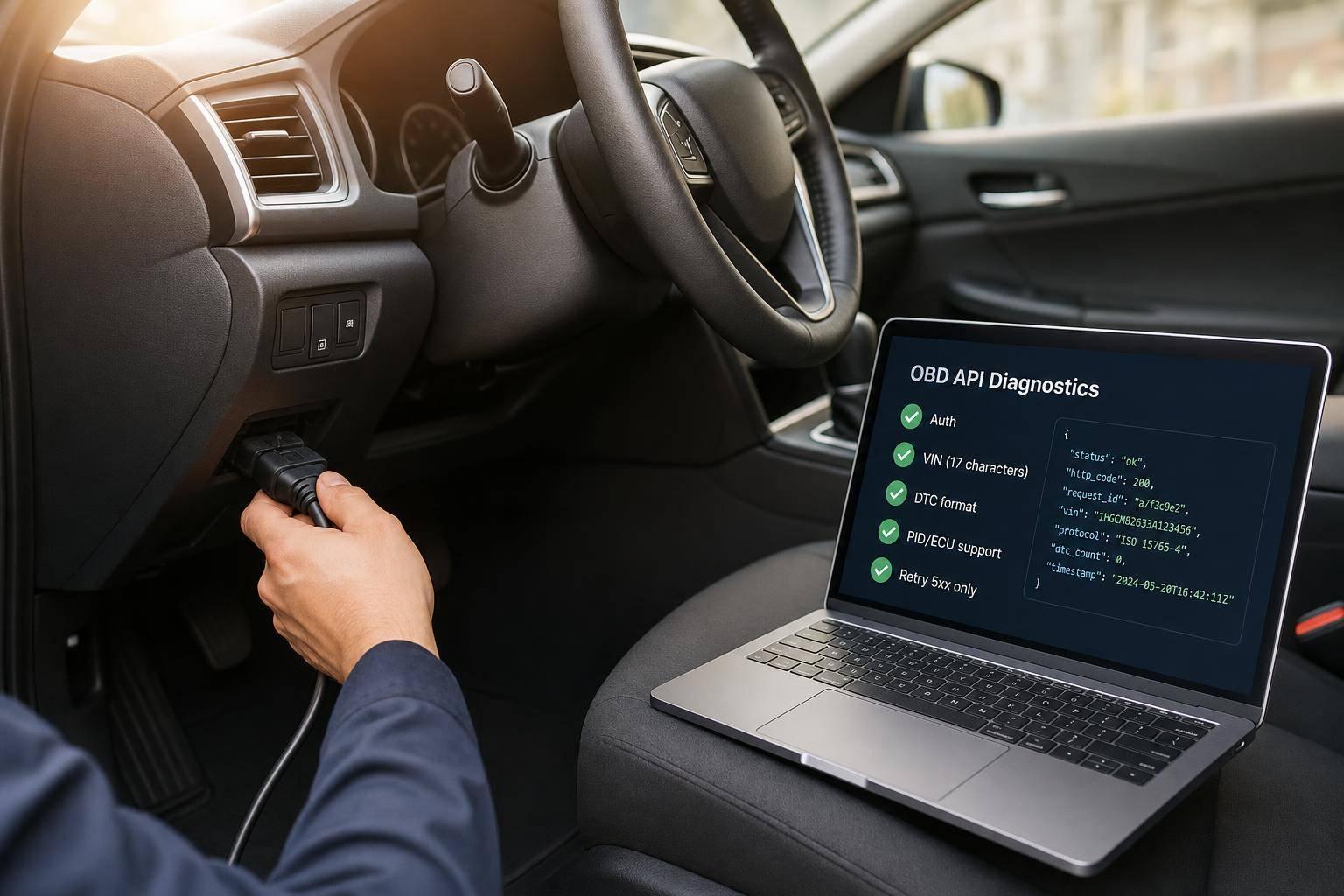
Debugging OBD APIs: Tips for Developers
Most OBD API bugs come from four places: bad input, weak connectivity, unsupported vehicle data, or retry logic that hits the wrong errors. If I need to debug one fast, I start with status codes, confirm VIN and DTC format, check adapter/transport health, then test one known code like P0115 before I touch deeper parsing.
Here’s the short version:
- I fix
400,401,403, and404first - I retry only
5xxerrors, with backoff like 1s → 2s → 4s - I treat
429as quota or pacing, not a retry case - I log the full JSON body, not just the HTTP status
- I check vehicle context because PID and ECU support can change by year, trim, and market
- I test edge cases like a 16-character VIN, empty code, and cut-off payloads
One small input mistake can waste hours. A VIN must be 17 characters, and a code like P0115 must keep its letter prefix and leading zero. Even a simple O/0 or I/1 mix-up can turn a valid call into a false trail.
OBD API Debugging Workflow: 10-Step Developer Checklist
Quick comparison
Check area What I look for first What it usually means Request format 400, success: false, bad message Input or payload issue Auth / account 401 or 403 Key, access, or billing problem Data coverage 404 Valid request, but no match for that VIN/code Quota 429, remaining: 0 Limit reached or polling too fast Upstream/API 500 to 504 Timeout or server-side fault Vehicle support Missing PID or no ECU data Protocol or support gap
I’d sum the article up like this: start at the edge, not the middle. Check access, input, transport, protocol, raw logs, vehicle context, known DTCs, retry rules, parser safety, and quota tracking - in that order.
1. Set Up a Stable OBD Test Environment
Start with a stable test setup so you can pin down the actual failure point before digging into connectivity, protocol, or response handling.
First rule: don’t call OBD APIs straight from the browser. Send requests through a backend server instead. That helps you avoid CORS problems and keeps your key out of the client side. [1]
Failure Point
The fastest way to narrow down a failure is to look at the HTTP status code. Each one points to a different layer in the stack:
Status Code Meaning Failure Point Developer Action 400 Bad Request Request formatting Fix parameters, such as making sure the VIN is exactly 17 characters 401 / 403 Unauthorized / Forbidden API key or billing Check your dashboard and billing status 404 Not Found Vehicle data availability Verify the VIN or retry with deepdata=1 429 Quota Exceeded Usage limits Check the usage object; upgrade your plan or enable overage 5xx Server / Upstream Error API or upstream error Retry with exponential backoff
A quick read of the status code can save a lot of guesswork. If you see 400, look at the request shape first. If you see 401 or 403, stop chasing transport bugs and check access.
Baseline Test
Use a known code like P0115 to test auth, routing, and request formatting. If it decodes as Engine Coolant Temperature Circuit Malfunction, your baseline is working. [2]
That gives you a clean starting point. You’re not trying to solve every issue at once - you’re just proving the basic path works.
Common OBD/API Pitfall
A bad VIN is a common cause of failure. Trim extra spaces, make sure it has 17 characters, and watch for O/0 and I/1 mix-ups. Those mistakes can trigger 400 errors that look like API trouble, even though the issue is just bad input. [1]
It’s one of those small checks that can eat up way too much time if you skip it.
Developer Action to Verify
Check the success field, not just the HTTP status. On some legacy v1 routes, validation errors may come back as 500, which can send you in the wrong direction. Log the full JSON error envelope, including message, so you can see the actual cause. [1]
Once the baseline passes, move on to adapter and transport checks.
2. Check Adapter and Transport Connectivity First
Before you dig into API logic, make sure the adapter is on, paired, and connected to the vehicle. Check power, pairing, the cable or Bluetooth link, and the ignition state before you chase API errors. A dead adapter can look like a bad API response. If Section 1 passes, the next place to look is the adapter and transport.
Failure Point Isolated
When commands time out or come back with no data, separate client-side errors from upstream connection trouble. A 504 or 502 in the response body points to connectivity, not formatting. [1]
Diagnostic Signal Used
Look at the adapter connection state, timeouts, and response status together. That gives you a clean way to tell local link failures apart from upstream outages.
Developer Action to Verify
A 404 means the transport is working, but no data matches the VIN or OBD code you sent. That's a request-validation issue, not a connection failure.
Use exponential backoff for 5xx errors. Do not retry unchanged 4xx requests.
Once the link is stable, move on to protocol support and available PIDs.
3. Confirm Protocol Support and Available PIDs
Once your adapter and transport are stable, the next step is simple: make sure the vehicle supports the protocol and PIDs you want to request.
Failure Point Isolated
Not every vehicle uses the same OBD-II protocol. Before you send requests, use the Specs endpoint to confirm the vehicle's year, make, model, and expected protocol [4][3]. If you use the wrong protocol, the ECU can look completely silent even though the adapter is working fine.
So if the adapter is connected but the ECU still says nothing, protocol mismatch is the next place to look.
Diagnostic Signal Used
After you confirm the expected protocol, check supported PIDs directly. Send Service 01, PID 00 to get the supported-PID bitmask, then filter out requests the vehicle doesn't support.
That one check can save a lot of back-and-forth. Instead of guessing, you see what the ECU is actually willing to return.
Common OBD/API Pitfall
A lot of debugging time gets burned by assuming PID support based only on vehicle category. That sounds reasonable on paper, but it falls apart in practice.
Even within the same make and model, PID support can change by trim level and engine type.
Developer Action to Verify
Build a precheck that loads the vehicle profile first, then runs the PID 00 bitmask query to confirm what the ECU will return [5]. If you don't have a full VIN, CarsXE also supports year/make/model and license plate-based vehicle identification [5].
Endpoint Input What It Confirms Specs VIN Vehicle year/make/model to determine expected protocol [4] PlateDecoder Plate, State, Country Vehicle specifications via registration data [4]
Once protocol and PID support are confirmed, the next thing to inspect is request formatting and command timing.
4. Check Request Formatting and Command Timing
Failure Point Isolated
Once you've confirmed the protocol and PID support, the next thing to check is the payload shape and poll rate. This is often where things go sideways.
A bad payload usually returns 400. A 404 means the input was valid, but no matching record was found.[1]
Diagnostic Signal Used
Start with the success boolean and the message field. Some routes return 200 with "success": false, which can be easy to miss if you're only watching the status code. In most cases, the message points straight at the problem, like a missing VIN or a bad code.[1]
Even with a valid payload, the request can still fail if the ECU is being polled too fast. OBD requests need spacing that matches the ECU's response time. If you send them in bursts, you can run into timeouts or throttling.
Common OBD/API Pitfall
Don't retry 4xx errors. Fix the request first. A 429 usually means you're polling too fast or you've gone over quota.[1]
If the result still doesn't look right, log the raw response and decode it step by step. That usually gives you a much clearer picture than guessing from the status code alone.
Developer Action to Verify
Validate inputs locally before the request leaves your server. Strip whitespace, and make sure VINs are exactly 17 characters long. If it still fails, log the endpoint, params, body, and timestamp so you have enough detail to debug it or pass it to support.[1]
Treat 429 and 504 as pacing or upstream issues. Fix 400 and 404 before you retry.
If the failure is still unclear, move to raw-response logging and field-by-field decoding.
5. Log Raw Responses and Decode Them Step by Step
Failure Point Isolated
If your formatting checks pass but the value is still off, stop guessing and look at the raw response. Log the endpoint, request parameters, and the full response body.[1] That raw output helps you split the problem into two buckets: a bad validation result or an issue with transport or decoding.
Diagnostic Signal Used
Start with the success boolean, then check the message field.[1] That gives you a fast read on whether the request failed up front or made it through and broke later.
Before you decode anything, make sure the OBD code itself is formatted correctly.[2] A single typo can lead to no match.[1][2] If the code is malformed or copied down with a transcription error, the lookup may return nothing even though the rest of the request looks fine.[1][2]
Common OBD/API Pitfall
Look closely at the logged payload for O/0 and I/1 swaps in OBD codes and VINs. These tiny character mix-ups often cause silent mismatches.[1]
Developer Action to Verify
Replay the logged request with curl and inspect the response field by field with jq.[1] It’s one of the fastest ways to see what the API is giving you without extra app logic getting in the way.
On supported endpoints, add deepdata=1 so you can compare the standard response with the extended one.[1]
Next, use vehicle and ECU context to narrow the fault.
6. Use Vehicle and ECU Context to Narrow Down Faults
Failure Point Isolated
If the raw response is valid but the result still looks off, stop digging into transport and look at the vehicle itself. At that point, the main job is to tell the difference between a coverage gap and an API fault.
Not every ECU supports the same PIDs, and support can change by market, model year, and trim.[1] So if a PID is missing, that may be normal for that vehicle. It does not automatically mean the API failed.[1] Before you treat missing data as an API issue, use specs to confirm the VIN profile.[1][4]
Diagnostic Signal Used
If specs returns data but obdcodesdecoder does not, that usually points to ECU support rather than a protocol mismatch.[1][2][4] Also, check whether the vehicle is EV or ICE before reading engine-related codes.[4] That one detail can save a lot of time.
Common OBD/API Pitfall
A false success value with No data found often means a coverage limit, not a broken endpoint.[1]
Developer Action to Verify
Use a short check flow:
- Cross-reference the raw code with
obdcodesdecoder.[1][2] - Verify the returned
diagnosisagainst the vehicle’s year, make, and model.[1][2][4] - Use
deepdata=1only when the standard lookup depth doesn’t give you enough detail.[1][2][4][5] - Treat
404VIN lookups as cached for about one day.[1]
Once you rule out coverage, verify the DTC itself against known code definitions.
sbb-itb-9525efd
7. Test DTC Decoding Against Known Codes
Failure Point Isolated
Once connectivity and request formatting look good, the next step is simple: test the decoder with a known DTC. At this stage, you’re no longer checking transport or payload shape. You’re checking whether the decoder maps a code to the right definition.
Diagnostic Signal Used
Use one known code as your baseline test. Pass the full DTC string as the code value to the /obdcodesdecoder endpoint.[2] CarsXE's OBD Codes Decoder checks that value against its code database.[2]
A good test case is "P0115". The returned diagnosis should read "Engine Coolant Temperature Circuit Malfunction."[2] If you get that exact result, the decoder is doing its job, and the problem likely sits somewhere else in the flow.
"Engine Coolant Temperature Circuit Malfunction."
Common OBD/API Pitfall
This is where small input mistakes can throw everything off. The most common ones are dropped leading zeros and missing letter prefixes. Use the full code string - P0115, not 115 or 0115 - and clean up O/0 and I/1 swaps before sending the request. Validate the final code value before calling the endpoint.[1]
Developer Action to Verify
Check success before you use diagnosis.[1][2] If success is false, look at the message field for decoder-specific validation errors.[1]
Failure Signal Likely Cause Fix success: false + validation error Malformed code string Check for missing prefix or dropped leading zero 404 Not Found Code not in the database Verify whether it is a non-standard or proprietary code 400 Bad Request Input formatting issue Sanitize input; check for O vs. 0 substitution Wrong diagnosis Wrong code passed Check the raw code value
8. Add Retries, Timeouts, and Fallback Logic
Failure Point Isolated
Once your input and decoding checks pass, the next job is handling transient failures with retries and fallbacks. A failed OBD API request doesn't always mean your code is broken. Sometimes the upstream service times out, hiccups, or hits a temporary server issue.
The key is simple: branch by status code, and only retry transient failures.
Diagnostic Signal Used
Check both the HTTP status and the success field, because some routes can return statuses that don't tell the whole story.[1]
A 504 usually means the upstream service timed out, so that's a transient failure. A 429 means you've run out of quota, and that's not something a retry will fix. In that case, inspect the usage object for current, limit, and remaining.[1]
Use this retry policy:[1]
Status Code Meaning Safe to Retry? 400–405 Client error No - fix the request first 429 Quota exceeded No - wait for reset or upgrade 500 Internal server error Yes - retry with backoff 502–504 Upstream or timeout error Yes - with exponential backoff
This policy is for transient server-side failures only. Client-side errors should stay on a fixed-fail path.
Common OBD/API Pitfall
Don't retry a 404 on a VIN or plate lookup. That usually means no data exists for that input, and the result is often cached for about 24 hours. If you send the same request again, you'll usually get the same answer.[1]
Developer Action to Verify
Keep your retry loop capped at 3 attempts. Use exponential backoff, such as waiting 1 second, then 2 seconds, then 4 seconds between attempts.[1]
For 429 errors, return a fallback state instead of retrying. Wait until the quota resets or the plan changes. If 5xx errors still continue after all retries are used up, log the endpoint, params, full body, status, and UTC timestamp.[1]
9. Test Edge Cases With Incomplete or Noisy Data
Failure Point Isolated
After you’ve dealt with retries, the next thing to test is your parser under messy input. That means responses that are partial, cut off, or malformed. Some failures don’t happen at the network layer. The response can make it to your app and still blow up during decoding. Malformed responses can break parsing even when transport succeeds. [1]
Diagnostic Signal Used
For cases like this, check the JSON envelope before trusting the payload. Start with success, then look at message, then confirm the required fields are there before decoding. [1]
Common OBD/API Pitfall
Make sure the fields you expect - like DTC codes, PID values, or freeze-frame data - are present before sending them into your decoder. [1]
For image inputs, test cut-off base64 strings and image URLs that can’t be reached. [1]
Developer Action to Verify
Run a small failure drill to make sure the parser stays safe:
- 16-character VIN - confirm your code handles the resulting
400 Bad Requestwithout crashing. [1] - Empty OBD code - verify the request fails cleanly at validation. [1]
- Truncated base64 image - fail fast on truncated image payloads. [1]
- VIN or plate with no data - handle
404 Not Foundgracefully, since those results may be cached for about a day. [1]
Wrap decoding in try/except or try/catch so malformed responses fail safely instead of taking down the whole request flow. [1]
Once these edge cases fail in a controlled way, monitor usage and quota behavior next.
10. Track Rate Limits and Endpoint Usage
Failure Point Isolated
Once you've ruled out noisy data, the last common failure point is quota exhaustion. A 429 means your account has hit its limit, and you should treat that separately from transient 5xx failures. Those are two different kinds of problems, and they need two different responses. Splitting them early saves time. [1]
Diagnostic Signal Used
When you get a 429, check the usage object in the response. It includes current, limit, and remaining. If remaining is 0, you're dealing with a quota issue, not a vehicle or adapter problem. Log that object on every quota error so you can see where you stand against your plan. [1]
That signal also helps you slow request volume before failures spread across the endpoint.
Common OBD/API Pitfall
One easy mistake is treating 429 errors like transient failures and retrying them automatically. Don't do that. A 429 is not a short-lived transport hiccup. Wait for reset or upgrade the plan. [1]
Developer Action to Verify
Log message and usage on every failed response, and trigger an alert when remaining falls below 10% of your limit. [1]
Use the status code to split quota, abuse, and transient transport failures.
Status Code Failure Category Action 429 Quota exceeded Stop requests; upgrade plan or wait for reset 403 Key blocked for abuse Stop retry loops; review request volume and auth behavior 502 / 503 / 504 Adapter or upstream faults Retry with exponential backoff
OBD Signal Comparison Table
Once you've ruled out connection, protocol, and parsing problems, the next step is simple: use the signal that best matches the issue you're testing.
Each signal tells you about a different layer of the stack. The table below shows when to use each one, what it helps isolate, and what it can't prove. Think of it as a quick reference after you've checked raw logs and decoding.
Signal Type Best Used When... Helps Isolate Doesn't Confirm Raw OBD Response Debugging adapter connectivity or protocol mismatches Hardware faults, ELM327 timing issues, and incorrect PID requests The final diagnosis or failed component Decoded DTC Output A valid code has been retrieved and needs translation for a technician or user A decoded code is translated into a subsystem-level diagnosis Whether the request was authenticated or the API quota is healthy API Error Logs The app receives a non-200 HTTP status code Authentication issues, rate limits, malformed parameters, or upstream timeouts [1] Physical connection between the OBD adapter and the vehicle
Here’s the short version:
- Raw OBD data points to adapter or protocol problems.
- API logs point to auth, quota, formatting, or timeout failures.
If the decoded diagnosis still looks off, check the raw bytes first. CarsXE's OBD Codes Decoder gives you a way to cross-check those raw bytes before you trust the translation.
Conclusion
Start with 401 and 403. If the request can't get through, nothing else matters. After that, clean up 400 and 404 inputs, then retry only 5xx errors with exponential backoff.[1]
Once the request path is working, decode the result in vehicle context. Use CarsXE's OBD Codes Decoder with the Specifications API to check what the code means for that specific vehicle, and keep an eye on current, limit, and remaining so quota trouble doesn't hit production out of nowhere.[2][6][1]
Fix the connection first, validate the payload second, decode with context third, and build retry logic last. That order keeps debugging fast and production stable.
FAQs
Why should I send OBD API requests through a backend?
Route OBD API requests through your backend so your API key doesn’t end up exposed in the browser. Keep credentials on the server instead - using environment variables or a secrets manager is much safer than placing them in client-side code.
There’s another reason too: it helps you avoid browser CORS blocks, which can make direct API calls fail or behave unpredictably.
How can I tell if a missing result is a data gap or an API bug?
Check the HTTP status code first. A 404 usually means a data gap, like a VIN that wasn’t found. A 5xx code points to a server-side problem.
If you get a 2xx code but the result is still missing, look at the JSON response body for an error field. CarsXE may return a successful status code even when there’s an internal error or a no-results condition.
What should my app do after a 429 error?
A 429 status code means you’ve gone over the API rate limit. When that happens, your app should pause for a bit and try the request again later.
Before you contact support, take a close look at your code. It’s also smart to check the error field in JSON responses, because the API can sometimes return HTTP 200 even when the response body includes an error message.
Related Blog Posts
- How Real-Time VIN Decoding APIs Work
- How to Integrate OBD Data with Cloud Platforms
- How to Integrate OBD Data into Your App
- How VIN Decoding Retrieves Vehicle Specs